


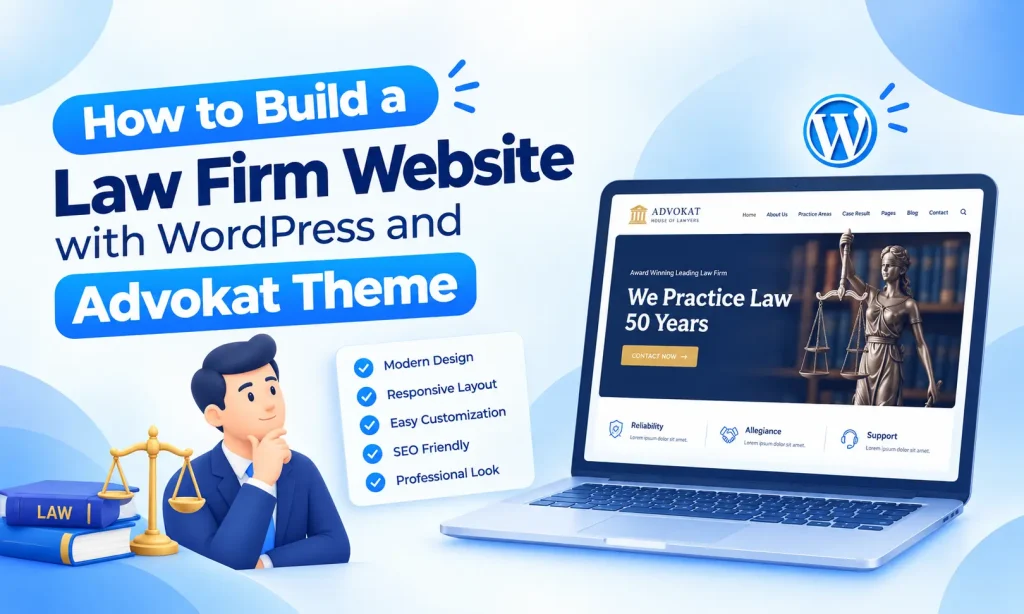
A professional law firm website helps attorneys and legal businesses present their services, practice areas, attorneys, case results, and contact information in one place. With WordPress, you can build a complete legal website without developing everything from scratch.
The right WordPress theme can make this process much easier. Instead of spending weeks creating page layouts and styling every section, you can start with a ready-made design and customize it for your law firm.
Advokat – Lawyer & Law Firm WordPress Theme is designed specifically for lawyers, attorneys, law firms, legal advisors, consultants, legal corporations, and other legal businesses. It includes multiple homepage designs, inner pages, page-building tools, responsive layouts, and features that help you create a professional online presence.
In this guide, we will explain how to build a law firm website with WordPress using the Advokat theme.
Why Build a Law Firm Website with WordPress?

WordPress is widely used for business websites because it provides flexibility and does not require advanced coding skills. You can create pages, publish articles, update content, and customize your website through a visual interface.
For a law firm, a website can help visitors:
- Learn about your legal services
- Explore different practice areas
- Meet your attorneys
- Read case results and legal information
- Find your office contact details
- Submit inquiries
- Read your latest blog posts
A well-organized website can also make it easier for potential clients to understand what your firm offers before contacting you.
Step 1: Choose a Domain and Hosting
The first step is to choose a domain name for your law firm website. Ideally, your domain should be short, professional, and easy to remember.
For example, you could use your firm’s name or a relevant variation.
Next, choose reliable WordPress hosting. Look for hosting with good performance, security features, backups, and WordPress support.
Once your hosting is ready, install WordPress and connect your domain.
Step 2: Install the Advokat WordPress Theme
After installing WordPress, the next step is to install Advokat – Lawyer & Law Firm WordPress Theme.
Advokat provides a legal-focused design, so you do not need to create the entire website structure from the beginning.
The theme includes 12 unique demo homepages, including 6 multi-page demos and 6 one-page demos. You can choose a design that fits your law firm’s branding and website requirements.
The theme also includes 60+ inner pages, giving you ready-made layouts for different sections of your website.
Step 3: Import a Ready-Made Demo
Creating every page manually can take a lot of time. Advokat includes a One Click Demo Installer that allows you to import demo content quickly.
After importing a suitable demo, you can replace the sample content with your own:
- Law firm name
- Logo
- Brand colors
- Attorney information
- Practice areas
- Case information
- Contact details
- Images
- Blog posts
This gives you a starting structure that you can customize instead of building each section from scratch.
Step 4: Create a Professional Homepage
Your homepage is usually the first page visitors see, so it should clearly explain who you are and what your firm provides.
A good law firm homepage can include:
Hero Section
Start with a clear headline explaining your legal services. Add a short supporting message and a call-to-action button.
For example, you might direct visitors to your consultation or contact page.
Practice Areas
Show your main areas of legal practice. Depending on your firm, these could include:
- Family Law
- Corporate Law
- Criminal Law
- Personal Injury
- Property Law
- Employment Law
- Immigration Law
Use short descriptions so visitors can quickly understand your services.
Attorney Section
Introduce your lawyers and attorneys with their names, positions, specialties, and professional information.
This can help visitors understand who may handle their legal needs.
Case Results
If appropriate for your firm and jurisdiction, include selected case results or representative experience. Make sure all claims are accurate and comply with applicable professional rules.
Testimonials
Client testimonials can provide social proof. Use genuine testimonials and follow any advertising or professional-conduct requirements that apply to your legal practice.
Contact Section
Make it easy for visitors to contact your firm. Include your phone number, email address, office location, business hours, and a contact form where appropriate.
Step 5: Add Important Law Firm Pages
A professional law firm website needs more than a homepage. Visitors should be able to find important information quickly.
Advokat provides layouts for several useful pages.
About Page
Use the About page to explain your firm’s background, values, experience, and approach.
Keep the information clear and professional. Avoid making unsupported claims about results or expertise.
Practice Area Page
Create a dedicated page for each major legal service.
Explain:
- What the practice area covers
- The types of matters you handle
- Who may need the service
- How visitors can contact your firm
Organizing your services this way makes the website easier to navigate.
Attorney Page
Create profiles for individual lawyers. You can include their professional background, areas of practice, education, experience, and relevant credentials.
Case Results Page
If your firm publishes case results, create a dedicated section for them. Present information accurately and include any disclosures required by applicable rules.
Contact Page
Your contact page should make communication simple. Add your office address, phone number, email, map, social profiles if relevant, and contact form.
Step 6: Customize the Website Design
Your law firm website should reflect your own brand rather than looking exactly like the demo.
Advokat includes powerful theme options that allow you to customize important design elements.
You can adjust options such as:
- Logo
- Favicon
- Header style
- Footer style
- Colors
- Typography
- Menu settings
- Other theme options
The theme also provides unlimited color options, allowing you to adjust colors across different website sections.
Choose a professional color scheme and maintain consistent typography throughout the website.
Step 7: Build Pages Without Coding
One of the main advantages of using a dedicated WordPress theme is that you do not need to code every page manually.
Advokat supports Elementor and WPBakery Page Builder, giving you visual drag-and-drop tools for creating and editing layouts.
You can add and rearrange sections without writing code.
For example, you can create a page with:
- Page title
- Introduction
- Practice area information
- Service details
- Attorney profiles
- Testimonials
- Contact section
This makes it easier for a law firm team to update website content over time.
Step 8: Make Your Website Mobile-Friendly
Many visitors access websites from smartphones and tablets. Your law firm website should therefore work properly across different screen sizes.
Advokat uses a responsive layout designed for smartphones, tablets, laptops, and desktop computers.
Before launching your website, check important pages on different devices. Pay attention to:
- Menu navigation
- Text readability
- Buttons
- Contact forms
- Images
- Page spacing
- Tables and other content
A responsive website gives visitors a consistent browsing experience across devices.
Step 9: Add Multilingual and RTL Support
If your firm serves clients who speak multiple languages, multilingual support can be useful.
Advokat is WPML compatible, which helps you create multilingual WordPress websites.
The theme also includes RTL support, making it suitable for websites that use right-to-left languages.
These options can help legal businesses create websites for a wider audience.
Step 10: Add Your Blog
A blog can be an important part of a modern law firm website.
You can publish useful articles related to your practice areas, legal processes, common questions, and general information.
For example:
- What to Do After a Personal Injury
- Common Questions About Family Law
- Understanding Business Contracts
- Steps to Take When Starting a Business
- What to Consider Before Hiring an Attorney
Use clear language and make sure legal content is accurate and appropriate for your jurisdiction. Avoid presenting general information as individualized legal advice.
Advokat includes multiple blog layouts, including grid, slider, and list-style options.
Step 11: Add an Online Store If Needed
Some legal businesses may also need WooCommerce functionality for selling products, publications, courses, or other permitted services.
Advokat includes a WooCommerce demo, providing a starting point for adding eCommerce functionality to the website.
Only include eCommerce features if they are relevant to your business model and professional requirements.
Step 12: Improve Website SEO
After building your website, optimize it so search engines can understand your pages.
Start with the basics:
- Use descriptive page titles
- Write useful meta descriptions
- Use relevant keywords naturally
- Create clear URLs
- Optimize images
- Use descriptive headings
- Add internal links
- Keep content useful and easy to read
- Make sure important pages are indexable
For example, instead of creating one generic services page, you could create separate pages for important practice areas.
A dedicated law firm website can then provide useful information for both visitors and search engines.
Step 13: Add Security and Legal Information
Security is important for every business website, especially when visitors may submit personal information.
Use secure hosting and keep WordPress, themes, and plugins updated.
You should also add appropriate legal pages, such as:
- Privacy Policy
- Terms and Conditions
- Cookie information where required
- Legal disclaimers
- Accessibility information where appropriate
- The exact requirements depend on your location and the people you serve, so review the rules that apply to your firm.
Step 14: Test Your Website Before Launch
Before making your website public, test all major functions.
Check:
- Navigation menus
- Contact forms
- Phone links
- Email links
- Social links
- Practice area pages
- Attorney profiles
- Blog pages
- Mobile layouts
- Images
- Buttons
- Search functionality
Also check that there are no placeholder texts or demo images left on the website.
Why Choose Advokat for a Law Firm Website?
Advokat is built around the needs of lawyers and legal businesses. Its ready-made layouts can reduce the amount of design work required to launch a website.
Some notable features include:
- 12 unique demo homepages
- 60+ inner pages
- Elementor support
- WPBakery Page Builder
- One-click demo installation
- Responsive design
- RTL support
- WPML compatibility
- WooCommerce demo
- 200+ addon elements
- Multiple blog layouts
- Practice area layouts
- Attorney layouts
- Case result layouts
- Revolution Slider
- Powerful theme options
- Unlimited color options
- Child theme included
- SEO-friendly structure
- Bootstrap 4
- Documentation
- Free updates
- Support
The combination of ready-made layouts and visual page-building tools makes it possible to create and customize a professional legal website without starting from a blank WordPress installation.
Final Thoughts
Building a law firm website with WordPress does not have to be a complicated process. With WordPress, reliable hosting, and a legal-focused theme, you can create the main pages and features your firm needs without developing everything from scratch.
Advokat provides ready-made homepage designs, inner pages, practice area layouts, attorney sections, blog layouts, and customization options. Its support for Elementor and WPBakery also gives you flexibility when creating or modifying pages.
Before launching, focus on accurate legal information, clear navigation, mobile responsiveness, website security, and easy contact options. Once these elements are in place, you can continue improving your website by adding new content, updating attorney profiles, and publishing useful legal resources.
Frequently Asked Questions
1. Can I build a law firm website without coding?
Yes. Advokat supports visual page builders such as Elementor and WPBakery, allowing you to create and customize pages without writing code.
2. Is Advokat suitable for lawyers and attorneys?
Yes. Advokat is designed for lawyers, attorneys, law firms, legal advisors, consultants, and other legal businesses.
3. How many homepage demos does Advokat include?
Advokat includes 12 unique demo homepages, with 6 multi-page and 6 one-page demos.
4. Does Advokat include inner pages?
Yes. The theme includes 60+ inner pages for different website sections and content requirements.
5. Can I customize the colors?
Yes. Advokat includes color options that allow you to customize the visual appearance of your website.
6. Does the theme support Elementor?
Yes. Advokat supports Elementor, allowing you to edit pages using a drag-and-drop interface.
7. Does Advokat support WPML?
Yes. Advokat is WPML compatible and can be used for multilingual WordPress websites.
8. Is the theme responsive?
Yes. The responsive layout is designed to work across smartphones, tablets, laptops, and desktop computers.
9. Can I import the demo website quickly?
Yes. Advokat includes a One Click Demo Installer that lets you import demo content and use it as the starting point for your website.
10. Does Advokat include a blog layout?
Yes. Advokat includes multiple blog layouts, including grid, slider, and list-style options.