


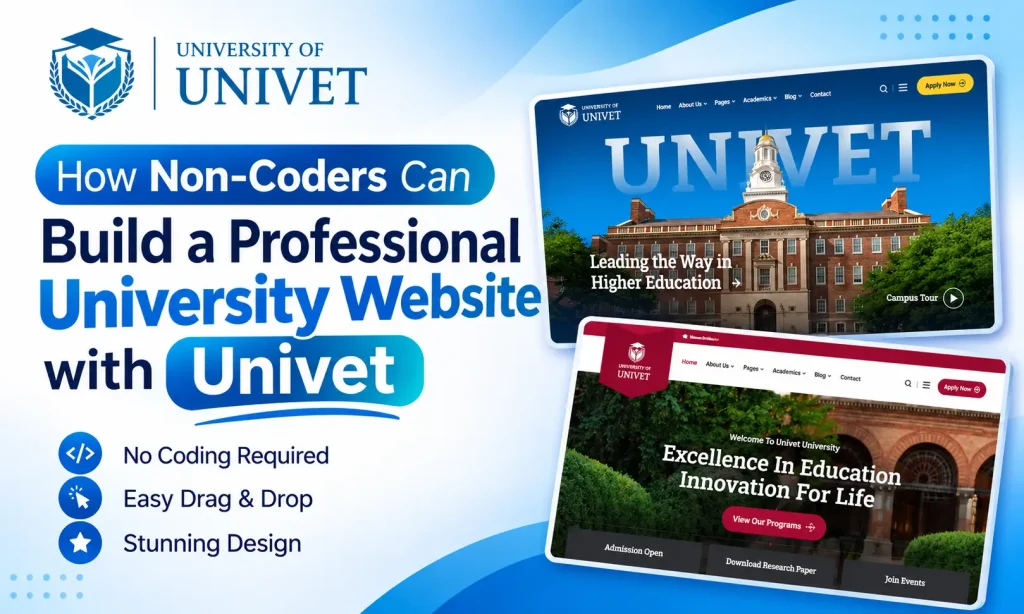
A university website is more than a place to share institutional information. It is the digital face of an educational institution. Prospective students visit it to explore academic programs, check admission requirements, learn about faculty members, and discover campus facilities. Parents, teachers, researchers, and alumni also depend on university websites for important information and updates.
However, building a professional university website can seem difficult if you have no coding experience. Hiring a developer can be expensive, while learning programming languages such as HTML, CSS, and JavaScript requires time and technical knowledge.
Fortunately, WordPress makes website development easier for everyone. With a suitable University WordPress Theme and a visual page builder, you can create and customize a complete educational website without writing code.
Univet – University Education WordPress Theme makes this process even simpler. It comes with ready-made demo websites, hundreds of inner pages, Elementor integration, and flexible customization options. Whether you manage a university, college, school, or online academy, Univet provides the tools to build a professional university website without technical expertise.
Let’s explore how you can create your educational website step by step.
Why Does Your University Need a Professional Website?
Today, students often research educational institutions online before choosing where to study. Your website may be their first introduction to your university.
A well-designed professional university website helps visitors understand your institution, explore academic opportunities, and find essential information without confusion.
Here are some important benefits.
1. Build Trust and Credibility
A clean and organized website creates a positive first impression. Students and parents want reliable information about academic programs, faculty members, campus facilities, and admission policies.
A professional university website presents these details clearly and helps establish confidence in your institution.
2. Make Academic Information Accessible
Visitors should easily find course descriptions, admission requirements, academic calendars, department information, and faculty profiles.
Organizing these details into dedicated pages makes your website more useful for students and parents.
3. Attract Prospective Students
Your website is an important channel for student recruitment. By showcasing academic programs, campus facilities, student activities, and achievements, you can encourage prospective students to learn more about your institution.
4. Improve Communication
Universities regularly publish admission announcements, examination schedules, event information, and academic updates. A website with dedicated news and event sections helps keep students, teachers, and alumni informed.
Why Choose Univet for Your University Website?

Univet is a modern University WordPress Theme designed for universities, colleges, schools, educational academies, and online learning platforms.
It combines ready-made website designs with Elementor’s drag-and-drop editing experience. You can import a complete demo, replace the content, customize the design, and launch your professional university website without manually writing code.
Here are the features that make Univet a practical choice.
1. Start with 11+ Complete Demo Websites
Creating a website from a blank page can take considerable time. Univet includes 11+ creative demo websites designed for different educational institutions.
You can choose a suitable design and use it as the starting point for your website.
These demos are useful for:
- Universities and higher education institutions
- Colleges and academic departments
- Schools and educational academies
- Online learning platforms
- Training centers and educational organizations
- Alumni associations
Instead of creating every layout yourself, you can customize an existing design to match your institution.
2. Import Demo Content with One Click
Univet includes a one-click demo import feature that helps you get your website started quickly.
After installing the theme and required plugins, you can import the available demo content, layouts, images, and icons.
Your website will have a ready-made structure that you can personalize with your university logo, academic information, photographs, and contact details.
This feature is especially helpful for beginners who want to build a professional university website without starting from scratch.
3. Customize Pages with Elementor
Elementor is a popular WordPress page builder that allows you to create website layouts using a visual drag-and-drop editor.
Univet is fully compatible with Elementor, making page customization easier for non-coders.
You can:
- Add or remove page sections.
- Change text and images.
- Customize colors and typography.
- Rearrange website elements.
- Create custom page layouts.
- Preview changes while editing.
For example, you can create an admission page with application requirements, important dates, course information, and contact details without touching a line of code.
4. Get 600+ Inner Pages and 400+ Ready-Made Sections

A complete educational website needs several pages to present institutional information.
Univet provides 600+ inner pages and 400+ ready-to-use Elementor template sections. These resources help you create different website layouts without designing everything yourself.
You can build pages for:
- About the University
- Academic Programs
- Faculty and Staff
- Admissions
- Campus Facilities
- Student Activities
- Alumni Information
- News and Events
- Contact Information
These ready-made layouts also help maintain a consistent design throughout your website.
5. Build Custom Headers, Footers, and Mega Menus
Your website navigation should make it easy for visitors to explore different sections.
Univet supports header and footer customization through Elementor and RS Template Builder.
RS Template Builder is an Elementor extension that allows you to create reusable website templates visually.
It supports several template types, including:
- Header and Footer
- Page Title
- Mega Menu
- Popup
- Offcanvas Panel
- Archive Pages
- Single Post Layouts
- 404 Error Pages
You can also use display conditions to control where different templates appear.
This flexibility helps you create a professional university website with consistent navigation and layouts.
6. Customize Colors and Typography
Every educational institution has its own visual identity. Your website should reflect your university’s branding through consistent colors, fonts, and design elements.
Univet uses Elementor Kit settings, allowing you to manage global colors and typography through Elementor Site Settings.
You can customize headings, buttons, backgrounds, and other visual elements to match your institutional identity without editing CSS files.
7. Create Engaging Sliders with Revolution Slider
A university homepage often needs attractive banners to highlight admission announcements, academic achievements, campus facilities, and upcoming events.
Univet includes the commercial Revolution Slider plugin, which provides customizable transitions, animations, and visual effects.
You can create engaging homepage sliders and showcase important information without complex coding.
8. Enjoy Responsive Design on Every Device

Students and parents access university websites using smartphones, tablets, laptops, and desktop computers.
Univet includes fully responsive templates designed to adjust to different screen sizes.
This ensures that visitors can browse academic programs, admission information, faculty profiles, and university news comfortably across devices.
9. Support Multilingual and RTL Websites
Educational institutions may need to communicate with students from different countries and language backgrounds.
Univet supports WPML for multilingual website creation. It is also RTL compatible, making it suitable for websites that require right-to-left language layouts.
These features provide additional flexibility when building an international educational website.
10. Add E-Commerce Functionality with WooCommerce
Some universities and educational organizations sell books, learning materials, event tickets, or training resources online.
Univet is compatible with the latest WooCommerce version, allowing you to add e-commerce functionality to your website.
You can create product pages, manage orders, and configure supported payment methods using suitable payment gateway extensions.
How to Build a Professional University Website with Univet
Now, let’s look at the basic steps to create your website using Univet.
Step 1: Install WordPress and Univet
First, purchase Univet and download the theme package.
Log in to your WordPress dashboard and navigate to Appearance → Themes → Add New Theme → Upload Theme.
Upload the Univet ZIP file, install it, and activate the theme.
Step 2: Install the Required Plugins
After activating the theme, install the recommended plugins.
These may include Elementor, RS Template Builder, Revolution Slider, and other theme extensions.
Each plugin provides additional tools for designing and managing your website.
Step 3: Import Your Preferred Demo
Explore the available Univet demos and choose one that matches your institution.
Use the one-click demo import feature to install the selected design and its available content.
Once the import is complete, you will have a ready-made website structure to customize.
Step 4: Add Your University Branding
Replace the demo logo with your university logo. Update the website colors, fonts, images, and other design elements.
Make sure your branding remains consistent across the homepage, inner pages, header, and footer.
Step 5: Create Important University Pages
A professional university website should include all the essential information visitors need.
Consider creating these pages:
- Homepage: Introduce your university, highlight academic programs, and display important announcements.
- About Us: Share your institution’s history, mission, vision, and achievements.
- Academic Programs: Present undergraduate, postgraduate, and professional courses.
- Admissions: Explain eligibility requirements, application procedures, deadlines, and fees.
- Faculty: Introduce professors, lecturers, and department heads.
- Campus Life: Showcase facilities, student clubs, sports, and cultural activities.
- News and Events: Publish announcements, seminars, workshops, and academic updates.
- Contact Us: Provide your address, phone number, email, and contact form.
Step 6: Customize Your Navigation
Use Elementor and RS Template Builder to organize your website header, footer, and navigation menu.
Create clear categories such as About, Academics, Admissions, Research, Campus Life, and Contact.
For institutions with multiple departments, a mega menu can help organize important links.
Step 7: Add Educational Content
A good design needs useful and accurate information.
Add real academic program details, faculty profiles, campus photographs, admission guidelines, and student resources.
Use clear headings, readable paragraphs, and relevant images to make information easy to understand.
Who Can Benefit from Univet?
Univet is designed for different educational institutions and professionals.
- Universities and Colleges: Create institutional websites with academic programs, faculty directories, admission information, and campus updates.
- Schools and Academies: Present educational programs, school facilities, activities, and admission announcements.
- Online Learning Platforms: Build websites for online courses, webinars, training programs, and certifications.
- Faculties and Departments: Create dedicated pages for Engineering, Medicine, Business, Science, Arts, and other academic departments.
- Professors and Educators: Showcase professional profiles, research activities, publications, and teaching experience.
- Alumni Associations: Share alumni news, organize community events, and publish important updates.
- Education Event Organizers: Promote academic conferences, seminars, workshops, and educational events.
Why Choose Univet from RSTheme?

Choosing an education WordPress theme is not only about design. You should also consider its developer, product updates, documentation, and customer support.
Univet is developed by RSTheme, a WordPress development team active since 2017 and a Power Elite Author on ThemeForest.
Here are some reasons to consider Univet:
- 11+ complete demo websites.
- 600+ ready-made inner pages.
- 400+ Elementor template sections.
- One-click demo import.
- Elementor drag-and-drop page builder.
- RS Template Builder integration.
- Header, footer, and mega menu builder.
- WPML and RTL compatibility.
- WooCommerce compatibility.
- Revolution Slider included.
- Fully responsive layouts.
- Well-organized documentation.
- Dedicated customer support.
- One-time purchase with free lifetime updates.
RSTheme also provides ongoing product improvements and support to help customers with installation and customization questions.
Frequently Asked Questions
1. Can I build a university website without coding?
Yes. WordPress, Elementor, and Univet allow you to create and customize website pages visually. You do not need programming knowledge for normal website-building tasks.
2. Is Univet suitable for universities and colleges?
Yes. Univet is designed for universities, colleges, schools, academies, and other educational organizations. You can customize its layouts for academic programs, admissions, faculty information, and campus activities.
3. How many demos does Univet include?
Univet includes 11+ complete demo websites that you can import and customize according to your institution’s requirements.
4. Does Univet support Elementor?
Yes. Univet is fully compatible with Elementor, allowing you to edit website pages using a drag-and-drop visual editor.
5. How many inner pages does Univet provide?
Univet includes 600+ inner pages and 400+ ready-to-use Elementor sections for building different educational website layouts.
6. Is Univet mobile-friendly?
Yes. Univet provides responsive website templates designed for smartphones, tablets, laptops, and desktop computers.
7. Does Univet support multilingual websites?
Yes. Univet supports WPML and RTL layouts, making it suitable for multilingual educational websites.
8. Can I customize the header and footer?
Yes. You can use Elementor and RS Template Builder to create custom headers, footers, mega menus, popups, and other website templates.
9. Does Univet include free lifetime updates?
Yes. Univet offers free lifetime updates after the initial purchase, allowing customers to access available theme updates without additional update fees.
Final Thoughts
Building a university website does not have to be complicated. With WordPress, Elementor, and the right theme, even beginners can create an attractive and easy-to-manage educational website.
Univet makes the process easier with 11+ demo websites, 600+ inner pages, 400+ ready-made Elementor sections, one-click demo import, and flexible customization options.
From academic programs and faculty profiles to admissions, campus activities, and university news, it provides a useful foundation for presenting your institution online.
If you want to build a professional university website without hiring a developer or learning complicated coding skills, Univet – University Education WordPress Theme is worth considering.
Explore Univet by RSTheme and start building your educational website today.