



Want to create a business directory, local listing website, service marketplace, or online directory with WordPress?
A WordPress Business Directory Plugin can make the process much easier. Instead of developing listing features from scratch, you can use a plugin to add business profiles, categories, search filters, maps, reviews, user submissions, and payment options.
If you are building multiple WordPress websites, the RSTheme Plugins Bundle can also be useful for accessing a collection of WordPress plugins for different website needs. Having multiple tools available can make it easier to add extra functionality as your projects grow.
The right directory plugin depends on the type of website you want to build. Some plugins are better for simple business listings, while others are designed for large directories, marketplaces, location-based websites, and advanced listing systems.
In this guide, we look at 10 popular WordPress Business Directory Plugins, along with their key features, pricing approach, and ideal use cases.
Top 10 WordPress Business Directory Plugins
1. uListing


uListing is a flexible WordPress directory and listing plugin that can be used for many types of listing websites.
It can support business directories, real estate websites, car listings, service directories, hotels, jobs, classified websites, and other listing-based projects.
Key Features
Flexible Listing Types
uListing lets you create different listing types and customize the fields displayed on each listing. This makes it easier to create directories for specific industries.
Advanced Search and Filters
Visitors can search listings using categories, custom fields, locations, and other filters. Location-based search can also help users find businesses and services in a specific area.
Monetization Options
You can create paid listings, membership plans, and recurring payment options. Payment gateways such as PayPal and Stripe can be used depending on the setup.
Other features include:
- Custom listing fields
- Listing comparison
- Wish lists
- Saved searches
- Maps
- Listing statistics
- User roles
- Social login
- Custom listing cards
Pricing
uListing provides free and premium options. The free version can be useful for testing basic directory features, while Pro adds more advanced functionality.
Best For
uListing can be useful for:
- Business directories
- Real estate websites
- Car listings
- Hotel directories
- Job boards
- Service directories
- Classified websites
2. HivePress


HivePress is a modular WordPress plugin for creating directory and marketplace websites.
Its extension-based structure allows you to add specific functionality without loading every feature into the core plugin.
Key Features
Custom Fields
You can create custom fields for listings, profiles, categories, and other directory elements.
Front-End Listing Submission
Users can submit and manage listings from the front end, which is useful for community directories and marketplaces.
Extensions
HivePress offers extensions for features such as geolocation, reviews, memberships, bookings, messages, and other directory functions.
Other features include:
- User profiles
- Reviews and ratings
- Geolocation
- Paid listings
- Featured listings
- Search alerts
- Booking functionality
- WooCommerce integration
- Multilingual support
Pricing
The core HivePress plugin is available for free. Premium extensions and themes are available separately.
Best For
HivePress is suitable for:
- Local directories
- Service marketplaces
- Rental websites
- Job boards
- Vendor directories
- Classified websites
3. Business Directory Plugin


Business Directory Plugin is a dedicated solution for creating business listing websites with WordPress.
It focuses on core directory functionality while providing additional extensions for advanced requirements.
Key Features
Custom Fields
You can create custom fields to collect information such as business details, contact information, addresses, websites, and other listing data.
Payment Support
Payment functionality allows directory owners to charge businesses for listings and other services.
Search and Categories
Visitors can search listings and browse them by categories. Additional extensions can expand the search and filtering options.
Other features include:
- Business listing management
- Ratings and reviews
- Custom fields
- Multiple directory layouts
- Discount codes
- Payment options
- Postal code search
- SEO integrations
- Listing categories
Pricing
The core plugin is available with additional premium add-ons and packages. Your total cost depends on the features you need.
Best For
Business Directory Plugin can be useful for beginners and businesses that want to create a traditional business listing website.
4. Directories Pro
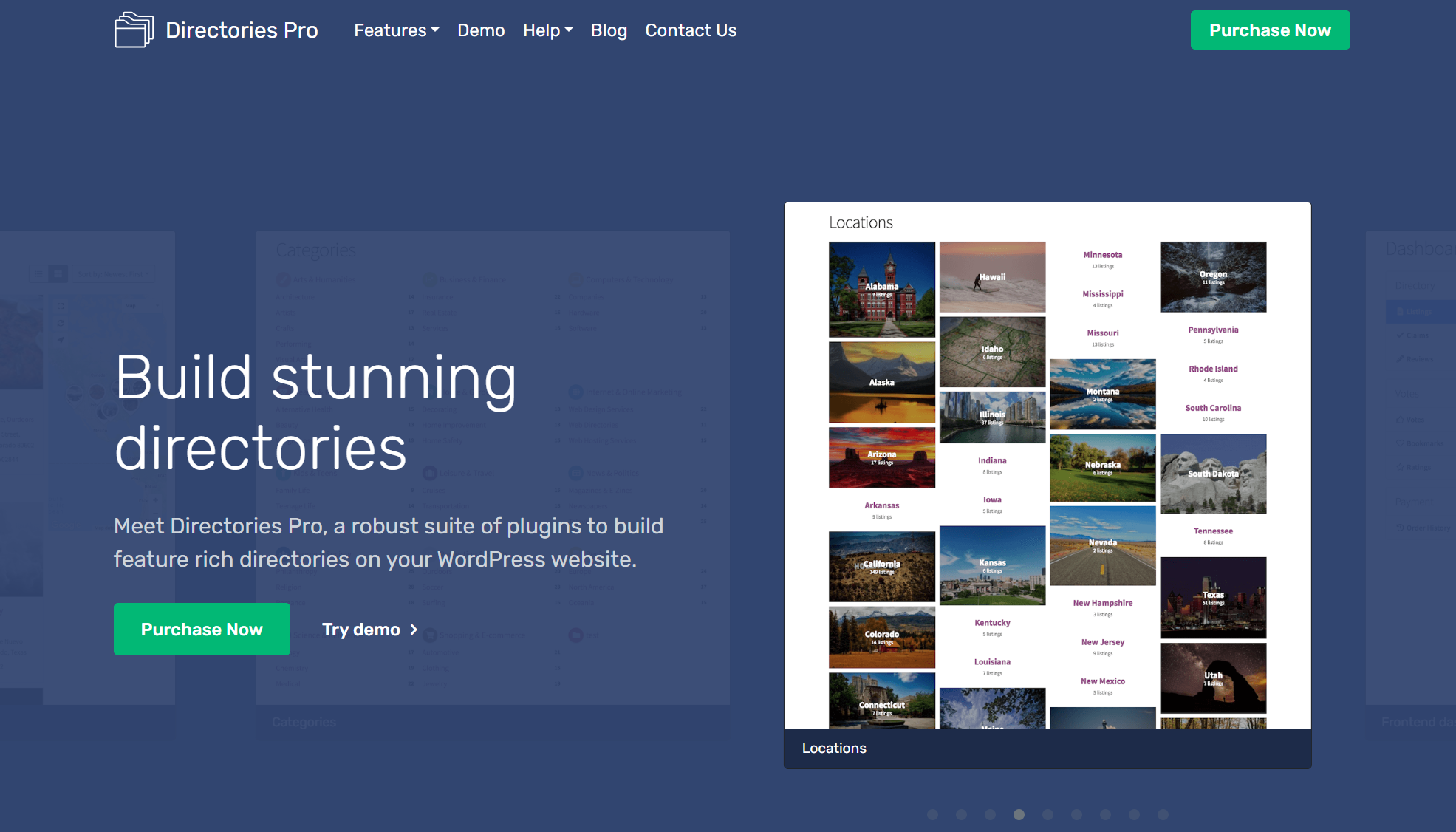

Directories Pro is a premium WordPress directory plugin designed for users who need detailed control over listings, fields, reviews, locations, and directory layouts.
It can be used to build both simple and advanced directory websites.
Key Features
Advanced Reviews
Directories Pro includes customizable review functionality. You can create review criteria and allow visitors to rate listings.
Custom Listing Fields
The plugin allows custom fields for listings, categories, locations, tags, and reviews.
Maps
Google Maps and OpenStreetMap support can help you create location-based directories.
WooCommerce Integration
WooCommerce compatibility allows you to create different monetization options and connect directory features with an existing online store.
Other features include:
- User bookmarks
- Guest bookmarks
- Custom layouts
- WPML support
- SEO plugin compatibility
- Location management
- Reviews
- Search and filtering
Pricing
Directories Pro is a premium plugin. It is suitable for users who want a feature-rich directory system without relying on many separate extensions.
Best For
It can work well for:
- Business directories
- Service directories
- Local listings
- Professional directories
- Industry-specific directories
5. Directorist
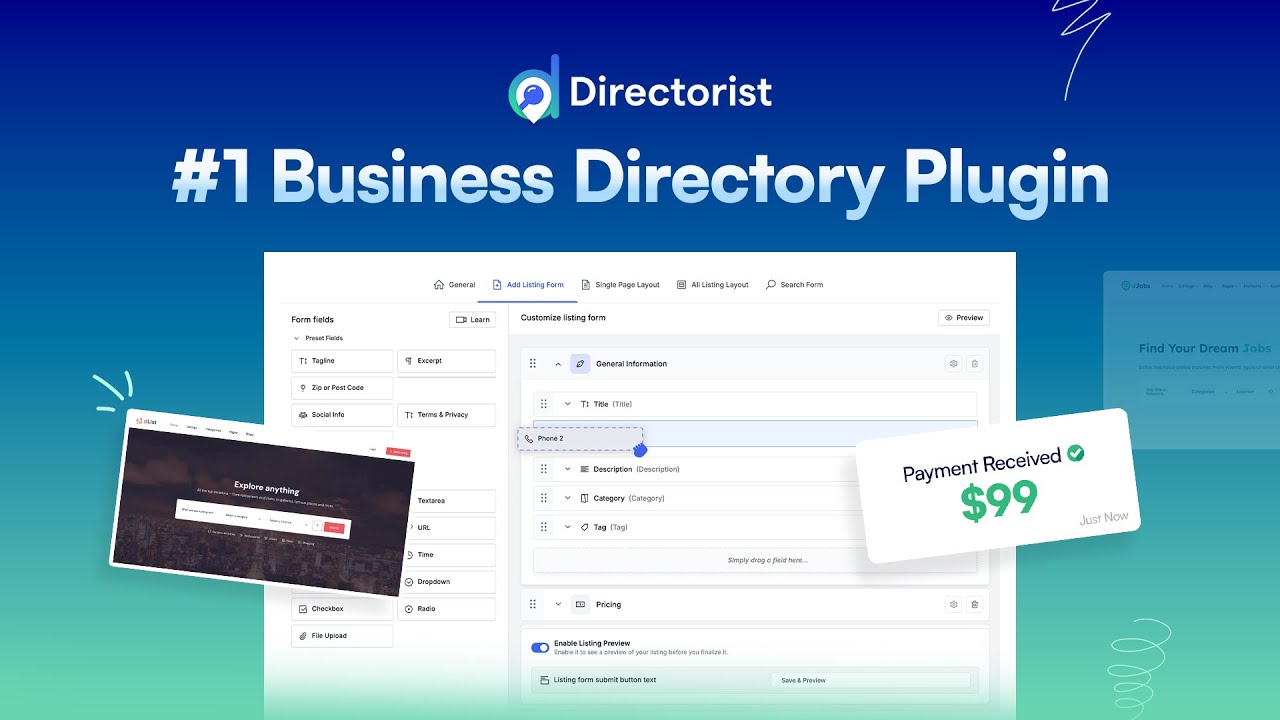
Directorist is a popular WordPress directory plugin with a free core version and premium extensions.
It is designed to make directory creation easier for users who do not have advanced coding skills.
Key Features
Easy Listing Management
Directorist provides tools for creating, editing, organizing, and managing directory listings.
Custom Fields
You can add custom fields to listings and make those fields searchable.
Listing Monetization
Directory owners can create paid listings, featured listings, and other monetization options with the available features and extensions.
Other features include:
- Google Maps
- OpenStreetMap
- CSV importer
- Social login
- Image galleries
- Reviews
- Claim listings
- Featured listings
- Booking functionality
- Live chat
- SEO integrations
- RTL support
Pricing
Directorist offers a free version. Premium extensions and bundles provide additional functionality.
Best For
Directorist can be used for:
- Business directories
- Local directories
- Job boards
- Service directories
- Classified websites
- Rental websites
6. GeoDirectory

GeoDirectory is focused heavily on location-based directories and large listing websites.
It is designed for websites where location, maps, and large amounts of listing data are important.
Key Features
Location-Based Listings
GeoDirectory provides tools for organizing listings by location. This makes it useful for city guides and local business directories.
Form Builder
A drag-and-drop form builder can help you create listing submission forms without manually coding every field.
Scalable Directory Structure
GeoDirectory is built with larger directories in mind, making it suitable for websites that may grow over time.
Other features include:
- Multiple locations
- Custom post types
- Event listings
- Maps
- SEO tools
- Franchise management
- Listing comparison
- User statistics
- Custom email templates
- Listing badges
Pricing
GeoDirectory has a free core plugin with premium add-ons and membership options for advanced features.
Best For
GeoDirectory is a strong fit for:
- Local business directories
- City guides
- Multi-location directories
- Event directories
- Franchise directories
- Large listing websites
7. BePro Listings

BePro Listings is a WordPress directory plugin designed for users who want straightforward listing functionality with customization options.
It provides tools for accepting, managing, and displaying listings on WordPress websites.
Key Features
Front-End Submission
Users can submit listings from the front end, so they do not need access to the WordPress dashboard.
Developer-Friendly Features
Hooks, filters, templates, and shortcodes provide additional customization options for developers.
Listing Monetization
The plugin can support paid listings, while additional extensions can provide more monetization functionality.
Other features include:
- Responsive layouts
- Google Maps
- Email notifications
- CSV uploads
- SEO features
- Shortcode support
- Listing management
- Front-end forms
Pricing
A free version is available, with premium extensions and packages for additional features.
Best For
BePro Listings can be useful for smaller directories and projects where customization is more important than having a large number of built-in features.
8. Connections


Connections is a WordPress directory plugin focused on creating business, contact, and community directories.
It provides a free core plugin with additional templates and extensions.
Key Features
Free Core Plugin
The free version provides the basic functionality needed to create and manage a directory.
Directory Templates
Different templates can help you change how directory entries are displayed without creating every layout from scratch.
Custom Fields
You can store different types of information for each directory entry.
Other features include:
- Responsive layouts
- Custom fields
- Categories
- CSV import
- Directory templates
- Translation support
- Developer customization
- Premium extensions
Pricing
The core plugin is free. Premium templates and extensions can be purchased when additional features are required.
Best For
Connections is suitable for:
- Contact directories
- Business directories
- Community websites
- Member directories
- Small listing websites
9. Sabai Directory
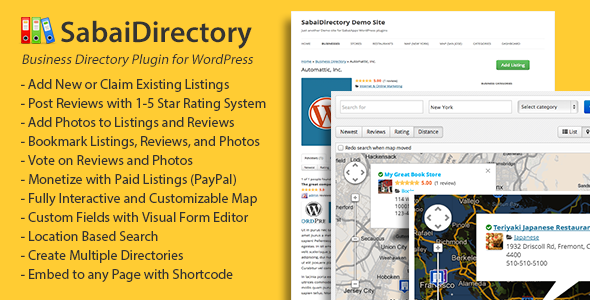

Sabai Directory is a premium WordPress directory plugin designed for creating business and location-based listing websites.
It provides several directory features in one solution and can be useful for websites that need a combination of listings, maps, reviews, and user interaction.
Key Features
Responsive Directory Layouts
Sabai Directory provides layouts designed to work across desktop and mobile devices.
Advanced Search
Visitors can search and filter listings based on different fields and categories.
Interactive Maps
Map functionality allows businesses and other listings to be displayed based on location.
Reviews and Ratings
Users can leave reviews and ratings, which can help create a more interactive directory.
Other features include:
- Front-end listing submission
- User reviews
- Ratings
- Location search
- Maps
- Categories
- Custom fields
- Search filters
- Business listings
- Responsive design
Pricing
Sabai Directory is offered as a premium WordPress plugin. The pricing structure can be useful for users who prefer a dedicated directory solution.
Best For
Sabai Directory can be suitable for:
- Local business directories
- Restaurant directories
- Service directories
- Property directories
- Location-based websites
10. Web 2.0 Directory


Web 2.0 Directory is a WordPress directory solution designed for creating business directories, classified websites, and other listing-based platforms.
It includes features for listing management, search, categories, locations, and monetization.
Key Features
Business Listings
You can create detailed business profiles with information such as descriptions, contact details, addresses, images, and other custom data.
Search and Filters
Visitors can search through listings and use filters to find relevant businesses or services.
Monetization
Directory owners can create paid listing plans and other revenue options depending on the available configuration.
Location Support
Location-based functionality can be useful for local directories and websites that cover multiple areas.
Other features include:
- Custom fields
- Listing categories
- Maps
- Reviews
- Front-end submissions
- Paid listings
- Featured listings
- Search filters
- Responsive layouts
- Directory management
Pricing
Web 2.0 Directory is a premium solution. The final cost depends on the license and additional requirements of your website.
Best For
It can be suitable for:
- Business directories
- Classified websites
- Local service directories
- City directories
- Professional directories
How to Choose the Right WordPress Business Directory Plugin


Choosing between different WordPress Business Directory Plugins depends on your website requirements.
Instead of choosing a plugin only because it has many features, think about how visitors and businesses will use your directory.
1. Listing Requirements
First, decide what information each listing needs.
A basic business directory may only require:
- Business name
- Address
- Phone number
- Website
- Description
- Business category
A real estate, job, or service directory may require many more custom fields.
2. Search and Filters
Search is one of the most important features of a directory website.
Look for customizable filters, categories, location search, sorting options, and searchable custom fields.
3. Maps and Locations
If your directory focuses on local businesses, map functionality can be very useful.
Check whether the plugin supports the map provider and location features required for your project.
4. User Submissions
Decide whether you will create every listing yourself or allow businesses and users to submit their own listings.
Front-end submission can save time when managing a large directory.
5. Monetization
If you plan to make money from the directory, check the available monetization options.
Depending on your business model, you may need:
- Paid listings
- Featured listings
- Membership plans
- Recurring payments
- Booking fees
- WooCommerce integration
6. Reviews and Ratings
Reviews can be useful when visitors need to compare businesses or services.
If reviews are important to your website, choose a plugin with the review and rating functionality you need.
7. Integrations
Before installing a plugin, check its compatibility with the other tools on your website.
Important integrations may include:
- WooCommerce
- SEO plugins
- Translation plugins
- Page builders
- Map services
- Membership plugins
- Payment gateways
8. Scalability
Think about how large your directory could become.
A plugin that works well for a few hundred listings may have different requirements when your website grows to thousands of listings.
Choose a solution that can support your future plans.
WordPress Business Directory Plugins Comparison
| Plugin | Free Version | Maps | Reviews | User Listings | Monetization |
|---|---|---|---|---|---|
| uListing | Yes | Yes | Yes | Yes | Yes |
| HivePress | Yes | Yes | Yes | Yes | Yes |
| Business Directory Plugin | Yes | Available | Yes | Yes | Yes |
| Directories Pro | No | Yes | Yes | Yes | Yes |
| Directorist | Yes | Yes | Yes | Yes | Yes |
| GeoDirectory | Yes | Yes | Yes | Yes | Yes |
| BePro Listings | Yes | Yes | Yes | Yes | Yes |
| Connections | Yes | Available | Available | Available | Available |
| Sabai Directory | No | Yes | Yes | Yes | Yes |
| Web 2.0 Directory | No | Yes | Yes | Yes | Yes |
Final Thoughts
A good WordPress Business Directory Plugin can save development time and give your website the core features needed to manage listings.
The right choice depends on the type of directory you want to create, your budget, the number of listings, and the features your users need.
uListing and HivePress provide flexible options for different types of directories. Business Directory Plugin and Directorist can be useful for traditional business listing websites. GeoDirectory is focused on location-based projects, while Directories Pro offers advanced directory functionality.
BePro Listings and Connections can work well for simpler projects, while Sabai Directory and Web 2.0 Directory provide additional options for users looking for dedicated premium directory solutions.
If you are working on multiple WordPress websites, an RSTheme Plugins Bundle can also be a useful option for adding different website features from one collection of WordPress plugins. It can help you access multiple tools for different project requirements instead of purchasing separate plugins for every website.
Before choosing one of these WordPress Business Directory Plugins, make a list of your required features. Compare listing management, search, filters, maps, reviews, user submissions, payments, integrations, and scalability.
Starting with the right plugin can make your WordPress directory easier to build, manage, and grow.