🔥 Save 20% on All Products Limited Time — use coupon code

🔥 Weekend 25% Saving Only 24hrs Left — use code

Ultimate Data Tables Addon for Elementor

Ultimate Data Tables WordPress Plugin
Current Version:

1.0.3

Last Updated:

20 July, 2026

WordPress Ver.

WordPress 6.3+

Total Active:

1000+

Downloads:

4450+

Risk-Free:

100% Guarantee

Tested up to:

6.8.x

Google Fonts:

500+

Features of Ultimate Data Tables WordPress Plugin

service-icon-7

Live Search Filtering

Instant full-table search that filters rows as users type. Customize the label, placeholder, and "no results" message to match your site language.

widget-icon-5

Pagination with 6 Styles

Choose from Default, Simple, Simple Numbers, Numbers Only, Full, or Full Numbers pagination styles. Let users control how many rows are shown per page.

widget-icon-19

Column Sorting

Every column is independently sortable ascending or descending. Users click column headers to sort — exactly like they expect from professional data tables.

widget-icon-10

Rowspan & Colspan

Merge cells vertically (rowspan) or horizontally (colspan) directly from the Elementor repeater — no HTML knowledge needed to create grouped data layouts.

responsive-icon.png

Fully Responsive

Tables adapt beautifully on desktop, tablet, and mobile. Word-break, white-space, and overflow controls let you fine-tune how content behaves on every screen size.

widget-icon-2

Per-Cell Styling

Set unique text color, background color, and text alignment for any individual header or body cell using Elementor's familiar inline per-item controls.

widget-icon-9

Fully Custom Labels

Override every UI string: search label, "no data" message, entries-per-page label, info text with placeholders like _START_, _END_, _TOTAL_, and _MAX_.

widget-icon-3

Custom Column Widths

Set fixed percentage or pixel widths on any column header directly from the repeater's Advanced tab - giving you precise control over your table layout.

widget-icon-6

Table Info Row

Optionally show "Showing 1 to 10 of 120 entries" info text below the table. Fully customizable to match your language, branding, or tone.

widget-icon-18

Striped Row Backgrounds

Merge cells vertically (rowspan) or horizontally (colspan) directly from the Elementor repeater - no HTML knowledge needed to create grouped data layouts.

widget-icon-11

Global Border Controls

Independently control border style, width, and color for the table globally, per header, or per body section. Supports solid, dotted, and dashed borders.

widget-icon-1

Complete Style System

Dedicated style sections for header, body, search input, entries dropdown, pagination items, and info text - every pixel controllable from Elementor.

dotted icon | Ultimate Data Tables WordPress Plugin

How to Use the Ultimate Data Tables WordPress Plugin?

Watch the video for proper use on the WordPress Ultimate Data Tables page. You can also see our theme documentation.

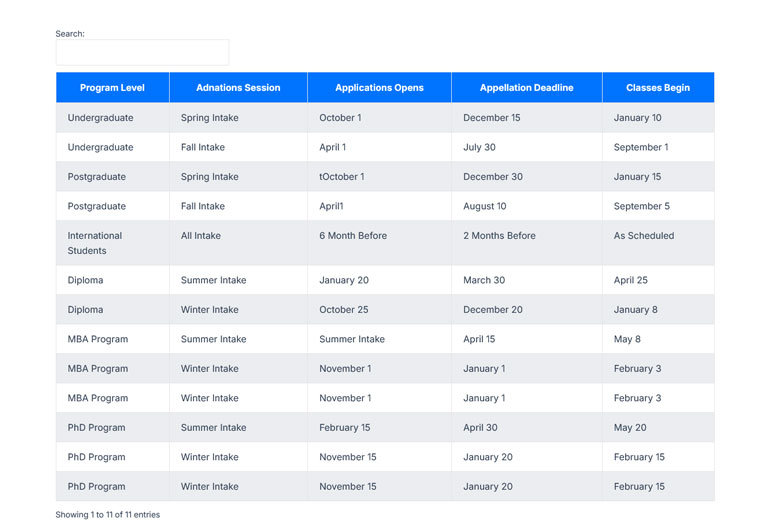
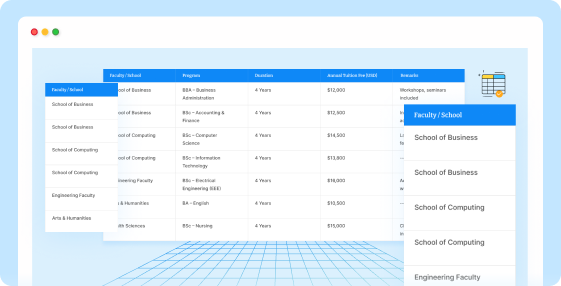
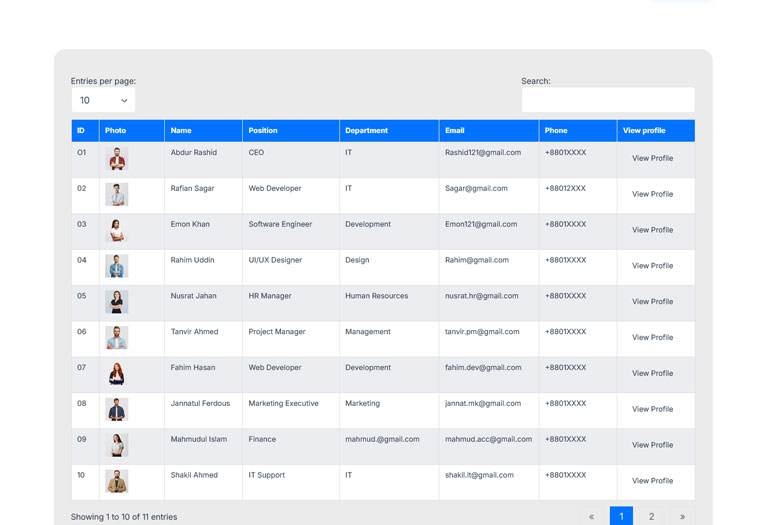
Showing 6 Layouts Many More Available

1 | Ultimate Data Tables WordPress Plugin
2 | Ultimate Data Tables WordPress Plugin
3 | Ultimate Data Tables WordPress Plugin
4 | Ultimate Data Tables WordPress Plugin
5 | Ultimate Data Tables WordPress Plugin
6 | Ultimate Data Tables WordPress Plugin
paper plane icon | Ultimate Data Tables WordPress Plugin

Start Using Great Ultimate Data Tables WordPress Plugin

Create fully customizable, responsive, and feature-rich data tables powered by DataTables.js - with live search, pagination, sorting, icons, images, and buttons. All from the Elementor panel.
rope shape icon | Ultimate Data Tables WordPress Plugin

What People Are Saying

Some Customers Love
"Ultimate Data Table saved me hours of work. The search, sorting, and pagination features work perfectly with Elementor, and my clients love how professional tables look."
avatar4
Michael Thompson
Web Designer, USA
"The interface is clean, fast, and beginner-friendly. My product comparison tables now look much more professional, and the live search feature is incredibly useful."
avatar3
James Wilson
WordPress Freelancer, UK
"Exactly what I needed for displaying pricing and service comparisons. The customization options fit perfectly with my Elementor workflow."
avatar6
Sophie Martin
Business Consultant, France
"Excellent plugin with smooth performance. Even large datasets load quickly, and the sorting and pagination features make navigation effortless."
avatar5
Daniel Kim
Marketing Manager, Australia

Pricing Plans

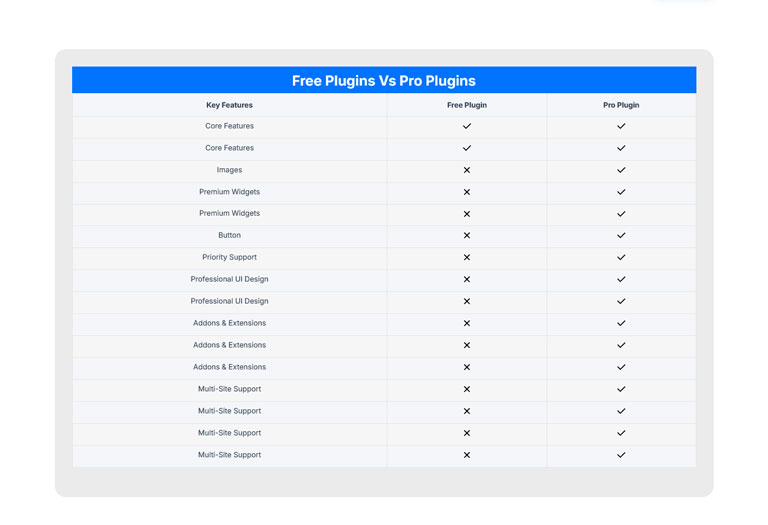
Ultimate Data Tables Plugin Pro comparison table what You will get in pro!
Save 34%

Single Site

Best Choice for Individuals

$29
$19
/Yearly
Save 50%

05 Sites

Small Business and Freelancers

$59
$29
/Yearly
Save 40%

10 Sites

Agencies and Developers

$99
$59
/Yearly
Save 43%

50 Sites

Agencies and Developers

$139
$79
/Yearly
Save 25%

Single Site

Best Choice for Individuals

$39
$29
/Lifetime
Save 60%

05 Sites

Small Business and Freelancers

$99
$39
/Lifetime
Save 62%

50 Sites

Agencies and Developers

$159
$59
/Lifetime
Save 50%

100 Sites

Agencies and Developers

$199
$99
/Lifetime

Included with All Plans:

money back guranty logo | Ultimate Data Tables WordPress Plugin

100% No-Risk 30 Days Money Back Guarantee!

We're excited to have you experience RSTheme's WordPress Themes. Over the next 30 days, if our isn’t the best fit, simply reach out! We’ll happily refund 100% of your money.
Abdur Rashid
Founder & CEO RSTheme
abdur rashid | Ultimate Data Tables WordPress Plugin

Frequently Asked Questions

If you have any problem, then view our Ultimate Data Tables plugin support official website – Support Forum.
Do I need to know how to code to use this plugin?
No, not a single line of code. Everything is controlled through Elementor's native panel. You add header columns and body rows using repeater fields, toggle features on/off with switches, and style every element visually. It works exactly like any other Elementor widget.
Does the free version require the Pro version?
No. The free version is fully standalone and requires only Elementor (free). The Pro addon requires the free plugin to be installed and active — it extends it rather than replacing it. When Pro is active, its widget automatically takes over and adds the extra features.
Is the table responsive on mobile devices?
Yes. On small screens the table wrapper gets horizontal scroll automatically, keeping all your data accessible without breaking the layout. You can also control word-break behavior and use Elementor's responsive controls to set different column widths per device.
What is DataTables.js and why does it power this plugin?
DataTables.js is the world's most popular jQuery table enhancement library, used by millions of websites and enterprise applications. It provides battle-tested, accessible, and performant search, sort, and pagination — so we don't have to reinvent the wheel, and you get proven reliability.

Don't forget to see our WordPress plugins which will help you to manage your WordPress website easily