How to make a coming soon page for WordPress website?
Creating a coming soon page for your WordPress website using the Ultimate Coming Soon & Maintenance plugin is an excellent way to keep your audience informed and build anticipation while you work on your site. This guide will walk you through the process step-by-step, ensuring that your coming soon page is not only functional but also visually appealing and engaging.
A coming soon page serves multiple purposes. It lets your visitors know that your website is under construction and will be launching soon, which helps manage their expectations. It also provides an opportunity to capture leads by encouraging visitors to sign up for updates or follow your social media channels. Additionally, a well-designed coming soon page can create excitement and buzz around your upcoming launch, making your audience eager to see what you have in store.
- Step 1: Install and Activate the Ultimate Coming Soon & Maintenance Plugin
- Step 2: Configure the Plugin Settings
- Step 3: Select a Template
- Step 4: Add a Countdown Timer (Optional)
- Step 5: Add Social Media Icons (Optional)
- Step 6: Publish Your Coming Soon Page
- Step 7: Enable Maintenance Mode
- Step 8: Enable Redirect Mode
- Step 9: Another Feature
- Step 10: Monitor and Update
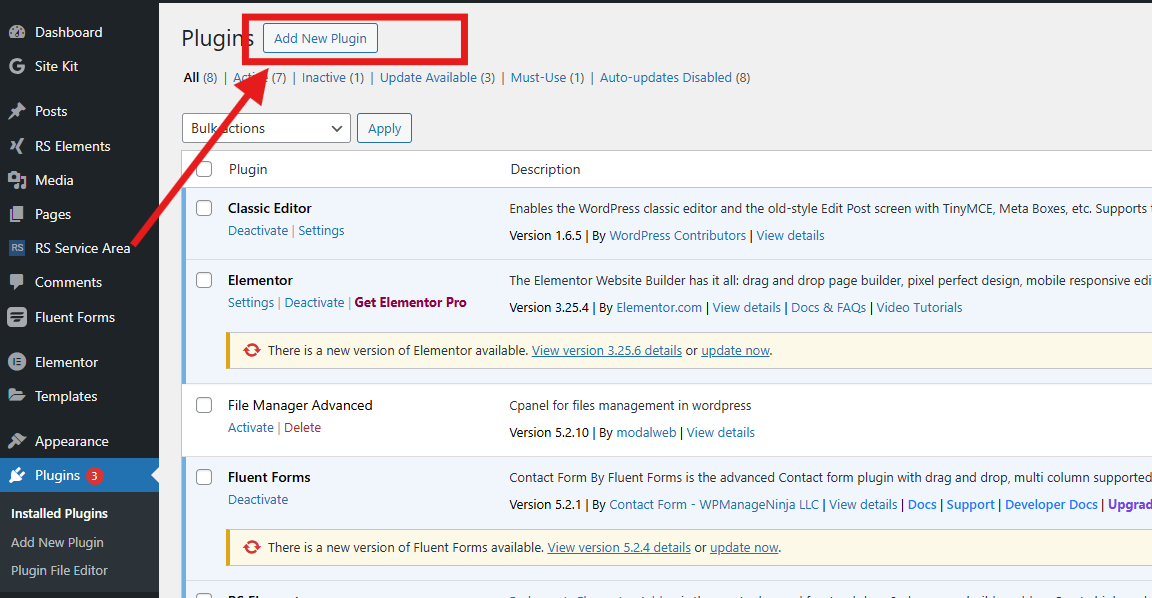
The first step is to install and activate the Ultimate Coming Soon & Maintenance plugin. This plugin allows you to create a professional and engaging coming soon page with ease
- Log in to your WordPress dashboard.
- Navigate to Plugins > Add New.
- Search for “Ultimate Coming Soon & Maintenance”.
- Click “Install Now” and then activate the plugin.
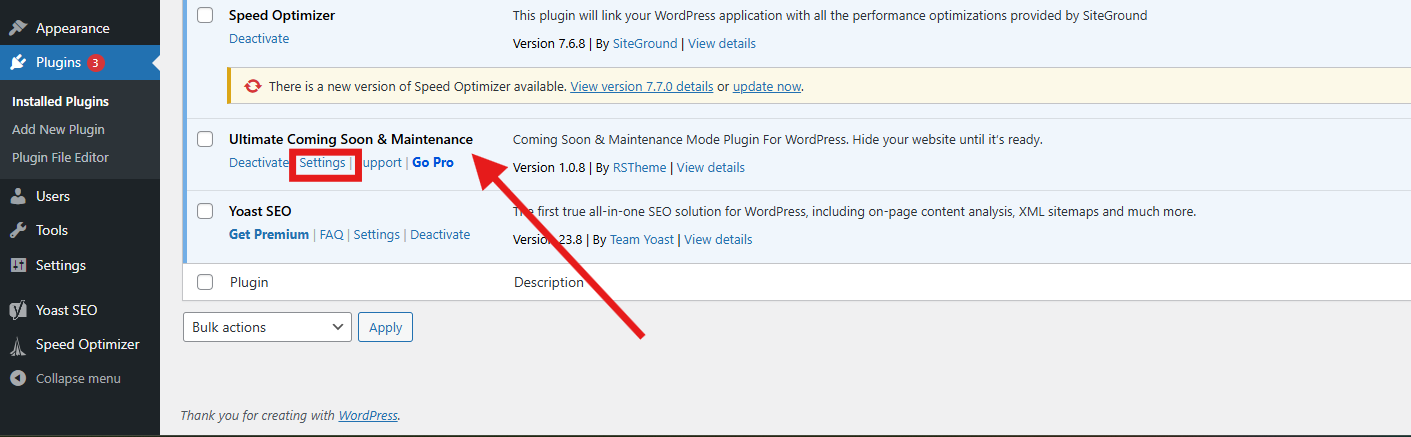
Once the plugin is activated, you’ll need to configure its settings to create your coming soon page.
- Go to Settings > Ultimate Coming Soon & Maintenance.
- Enable the Coming Soon Mode to display a coming soon page to your visitors.
Customize the page by adding your own text, images, and branding elements. You can change the background, colors, and fonts to match your brand’s style.
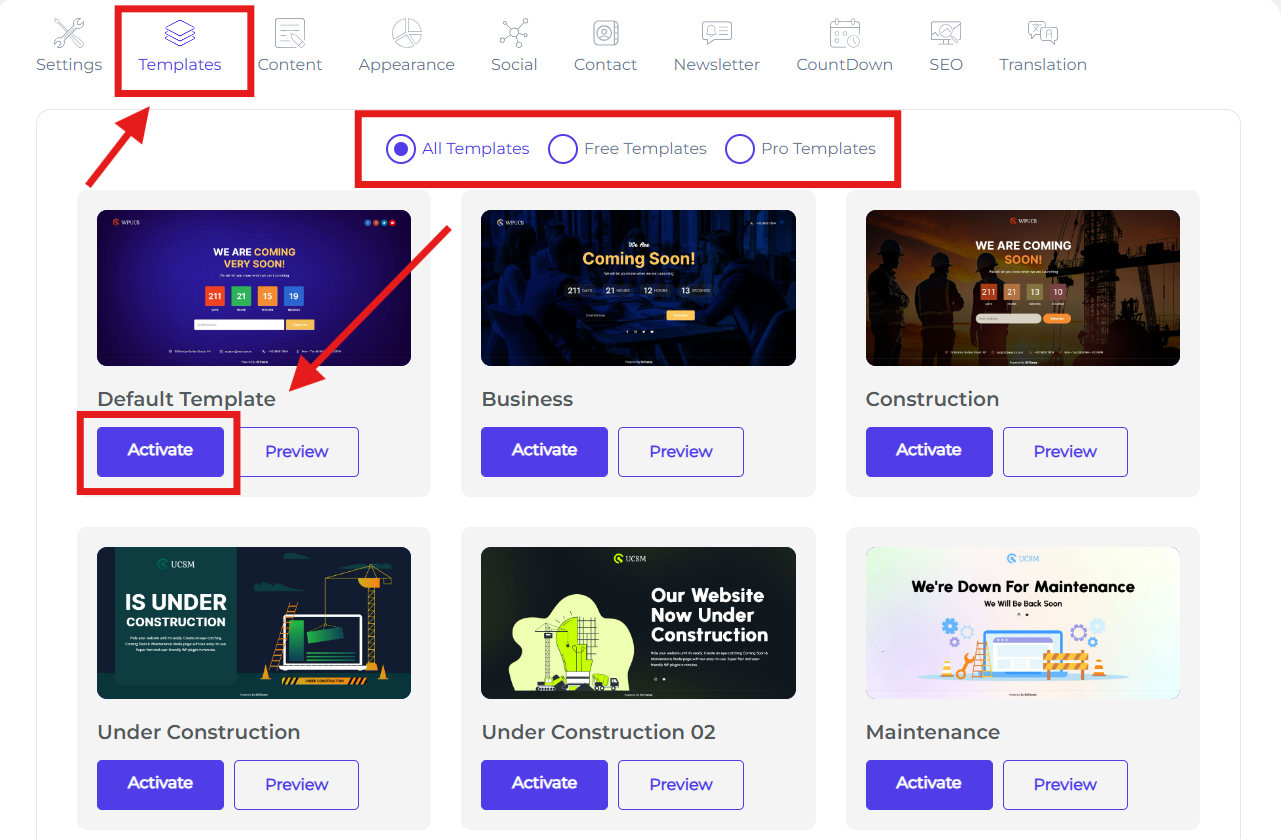
choose a template what type of page design you need.
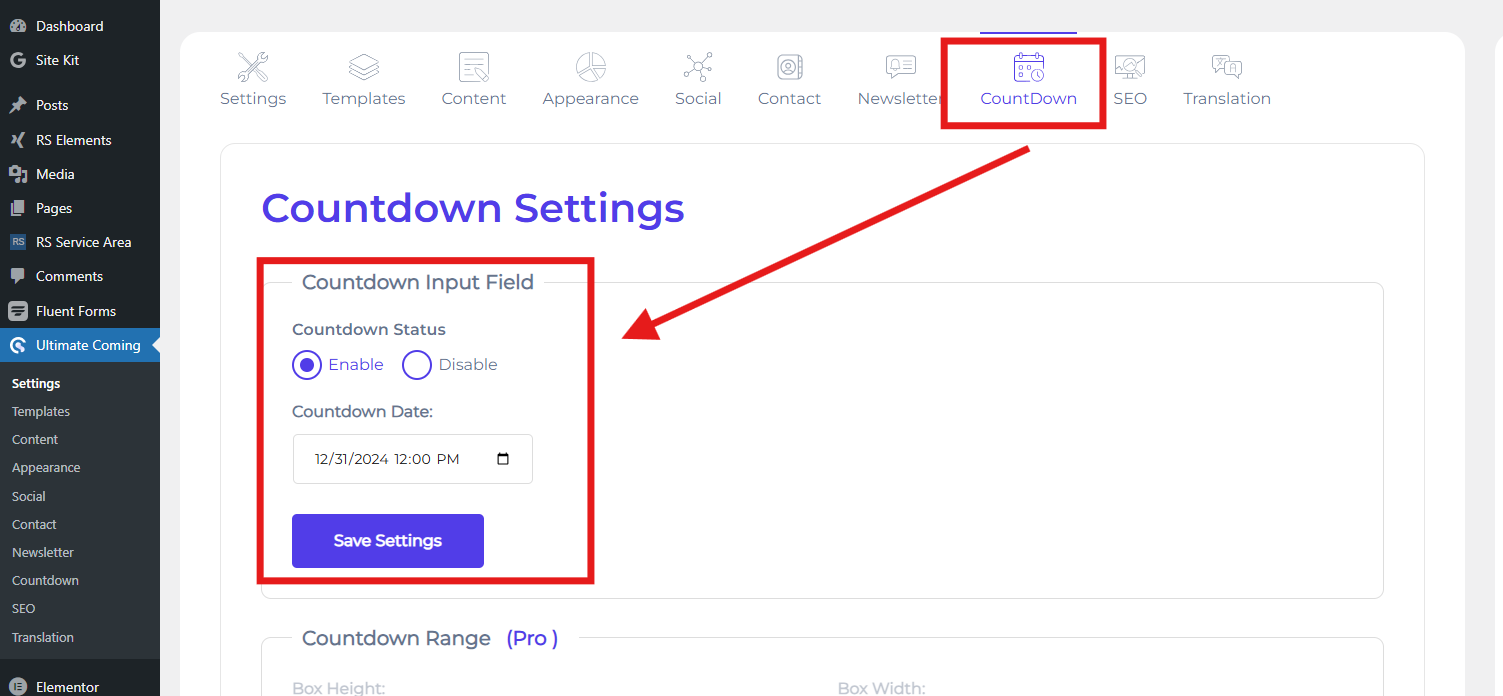
Adding a countdown timer can create a sense of urgency and excitement for your visitors.
- Enable the Countdown Timer feature to let your visitors know when your website will be live.
- Set the date and time for your website launch.
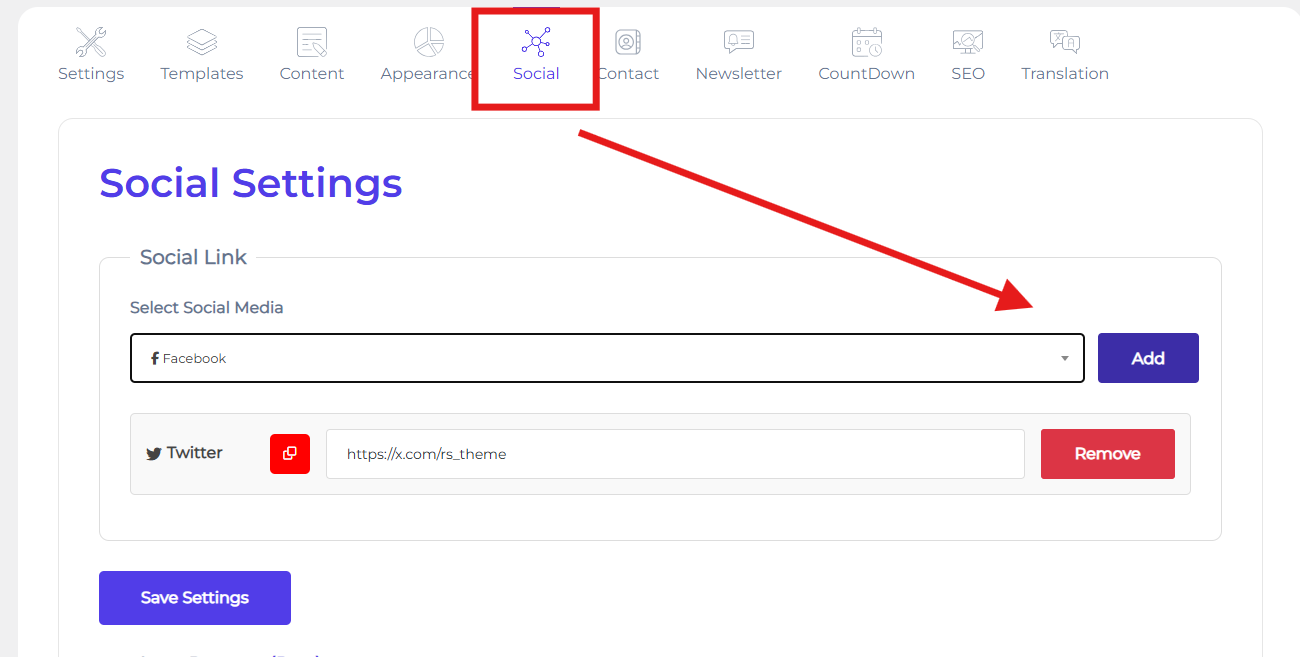
Including social media icons allows your visitors to stay connected with you and follow your progress.
- Enable the Social Media Icons feature to stay connected with your audience.
- Add links to your social media profiles so visitors can follow your progress and updates.
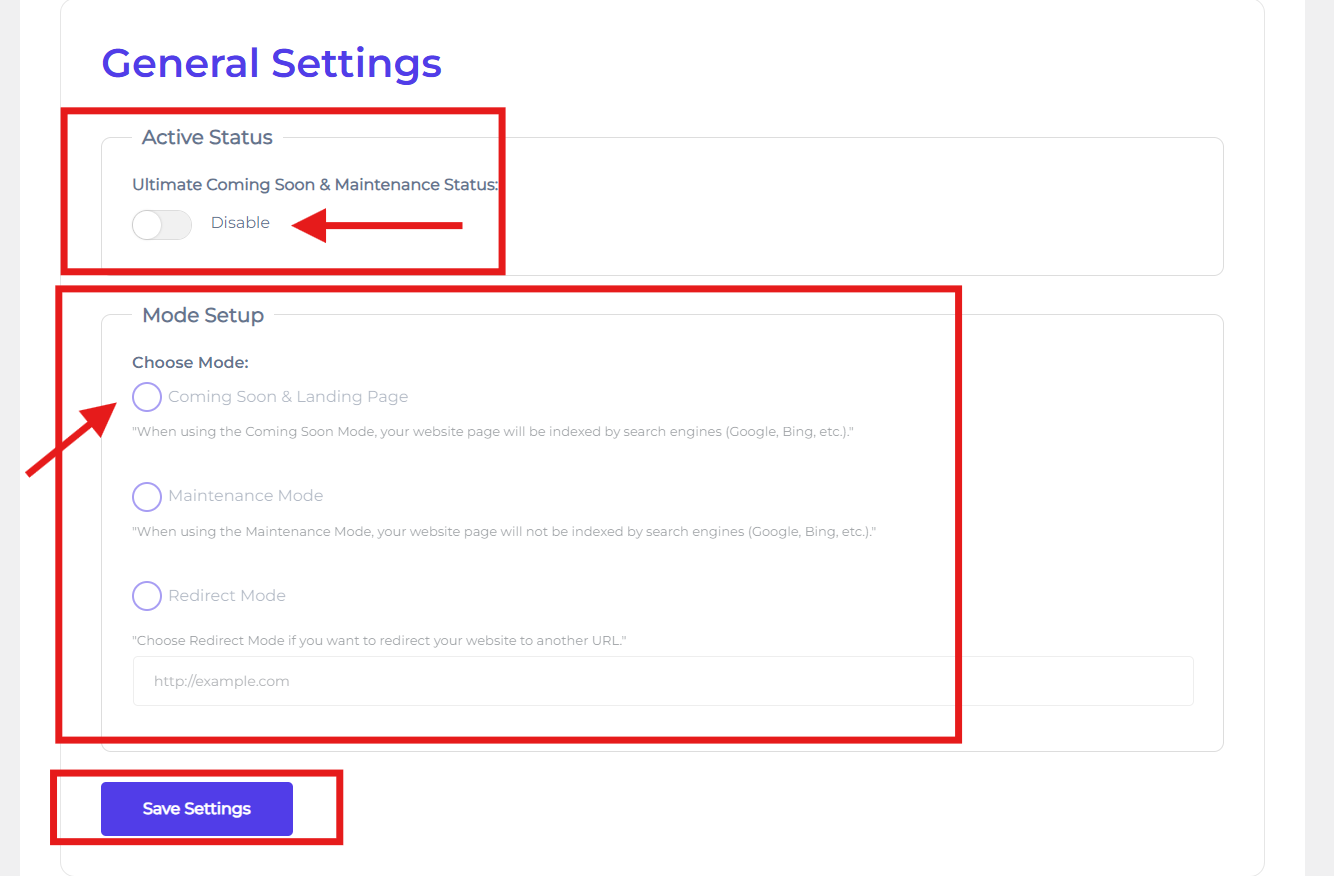
After making your coming soon page, it’s important to mood setup it to ensure what will be.
- Enable Ultimate Coming Soon & Maintenance Status.
- Then select what type of mode you want to set.
- Click “Save Changes” to make your coming soon page live.
If you need to take your site offline for updates or maintenance, you can enable maintenance mode.
- Enable Maintenance Mode if you need to take your site offline for updates or maintenance.
- Customize the maintenance page to inform visitors that your site is temporarily unavailable.
- If you need to take your visitor your website to another website, you can enable redirect mode.
You can use another feature for more optimize your coming soon or maintenance page. Like,
- Content
- Appearance
- SEO
- Contact
- Newsletter
- Translation
Regularly monitoring and updating your coming soon page ensures that it remains relevant and engaging.
- Regularly check your coming soon page to ensure it’s working correctly.
- Update the content as needed to keep your audience informed about your progress.
By following these steps, you’ll have a professional and engaging coming soon page for your WordPress website. This will help build excitement and keep your audience informed while you prepare for your official launch. A well-designed coming soon page not only sets the stage for your website but also creates a positive first impression that can lead to long-term success.