












Contact Form 7 (CF7) has stayed one of the most popular form plugins in WordPress for years, and it’s easy to see why. It is free, lightweight, and quick to set up. But that simplicity has limits. Out of the box, CF7 can’t split a form into steps, save entries in your dashboard, push leads to a CRM, or let you design fields visually.
Addon plugins close those gaps. The right one extends what CF7 can do without making you rebuild your existing forms. In this guide, we cover the ten best Contact Form 7 addon plugins for 2026: what each does well, where it falls short, and who it suits best.
What Is a Contact Form 7 Addon?
A Contact Form 7 addon is a separate plugin that runs on top of CF7 and adds features the core plugin lacks. Depending on the addon, that might mean new field types, layout and design controls, spam protection, database storage, redirects, or connections to tools like Google Sheets and HubSpot. Because addons work alongside CF7, your existing forms keep functioning, and you gain extra options inside a familiar environment, usually with no code.
Why Use Addons With Contact Form 7?
- More capable forms: Add advanced logic, file uploads, signatures, and multi-step flows.
- Better design: Create beautiful branded forms without custom CSS.
- Smarter workflows: Connect forms to CRMs, spreadsheets, and business apps.
- Reliable data: Store and manage form entries securely.
- Better spam protection: Block unwanted bots without annoying users.
- Higher conversions: Use cleaner layouts and shorter forms.
Quick Comparison
| # | Plugin | Best For |
|---|---|---|
| 1 | CompactForm | Visual drag-and-drop form building |
| 2 | Ultimate Addons for CF7 | Broad feature set with data storage |
| 3 | CF7 Multi-Step Forms | Splitting long forms into steps |
| 4 | CF7 Styler for Divi | Styling forms inside Divi |
| 5 | Integration for CF7 – HubSpot | Sending leads to a CRM |
| 6 | CF7 Google Sheets Connector | Spreadsheet-based tracking |
| 7 | Redirection for CF7 | Thank-you pages and post-submit actions |
| 8 | CFDB7 | Simple entry storage |
| 9 | Honeypot for CF7 | CAPTCHA-free spam protection |
| 10 | Country & Phone Field | International phone input |
The 10 Best Contact Form 7 Addon Plugins
1. CompactForm – Drag & Drop Form Builder for Contact Form 7
Best for: building forms visually without hand-writing shortcodes
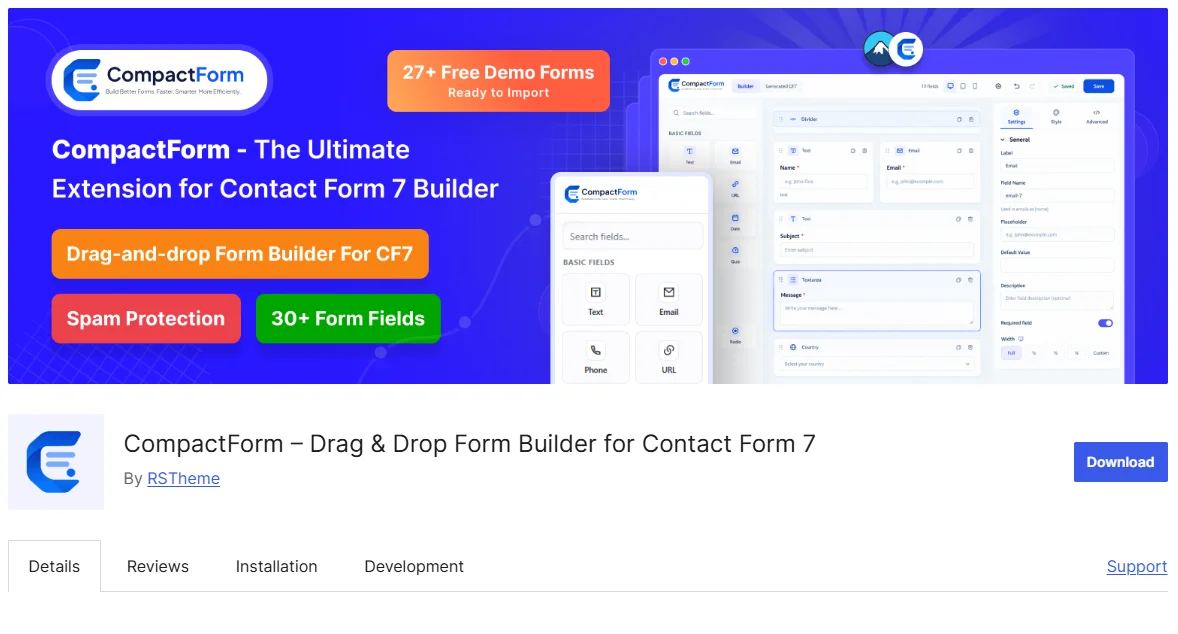
CompactForm adds a visual drag-and-drop builder to Contact Form 7. You can add fields, arrange layouts, style forms, and configure settings without manually writing CF7 shortcodes. Your forms still work as normal Contact Form 7 forms.
The free version includes 30 field types, including text, email, phone, dropdowns, checkboxes, date and time pickers, star ratings, signatures, sliders, quizzes, and file uploads. It also includes conditional logic, spam protection, 27 free ready made forms – ready to import, and form import/export.
With CompactForm Pro, you get advanced features such as multistep forms, save and continue, booking slots, dynamic calculators, Stripe payments, WooCommerce product selection, database entries, Google Sheets, Slack, and Telegram integrations.
Pros
Visual Drag-and-Drop Builder: Build and arrange forms visually without manually writing shortcode or layout code.
30 Free Field Types: Get a wide selection of basic and advanced fields, including signatures, ratings, sliders, and file uploads.
Ready-Made Templates: Start quickly with 27 free form templates and customize them for your website.
Built-In Protection: Use reCAPTCHA v3, honeypot, minimum fill time, and blocked words to reduce spam.
Import and Export: Import existing CF7 forms and export forms as JSON for use on other websites.
Cons
Requires Contact Form 7: CompactForm depends on Contact Form 7, so CF7 must be installed and activated.
Advanced Features Need Pro: Features such as payments, database entries, multistep forms, and external integrations are available in the Pro version.
Newer Plugin: CompactForm has a shorter track record than some established Contact Form 7 addons, which may matter to users looking for a longer plugin history.
2. Ultimate Addons for Contact Form 7

Best for: a broad toolkit with built-in data management
Ultimate Addons is a heavyweight option for site owners who want many features without installing a dozen separate plugins. It supports responsive column and grid layouts, conditional fields, range sliders, a global form styler, and a digital signature field.
It also helps with data and automation. Entries can be stored inside WordPress and exported as CSV, while the dynamic text feature fills fields automatically from URL parameters, user data, or post metadata. AI-assisted form generation, ready-made templates, and WooCommerce product dropdowns round out the package.
Pros: Wide feature range; entries saved in WordPress; strong visual styling tools.
Cons: Advanced options require Pro; the number of settings can overwhelm beginners.
3. Contact Form 7 Multi-Step Forms

Best for: breaking long forms into steps
Long forms scare visitors away, and splitting them into short steps is one of the easiest ways to improve completion rates. This plugin links several CF7 forms into one sequence, lets users move back to review answers, and sends a single email containing everything collected. Paired with Conditional Fields, it can skip steps based on earlier answers.
The free version passes data between steps using cookies, so very large submissions may lose information. Pro uses session storage and handles far bigger entries.
Pros: Simple step-by-step flow; back navigation; custom error messages; admin alerts for oversized submissions.
Cons: Each step needs its own page; file uploads belong in the final step; no support for pipes in select fields.
4. CF7 Styler for Divi
Best for: Divi users who want visual form design
If your site runs on Divi, this addon lets you design CF7 forms inside the Divi Builder instead of fighting with custom CSS. You can adjust fonts, colors, spacing, borders, buttons, labels, and even success and error messages using the visual controls you already know.
A built-in grid builder creates responsive multi-column layouts that adapt to tablets and phones, so polished, on-brand forms take minutes rather than hours.
Pros: Native Divi experience; no coding; responsive output; regular updates.
Cons: Only useful with Divi; some features require Pro; a few users report compatibility issues after WordPress updates.
5. Integration for Contact Form 7 – HubSpot

Best for: sending leads straight to your CRM
Created by CRM Perks, this plugin sends submissions directly into HubSpot, so leads never get stuck in an inbox. You can connect through secure OAuth 2.0 or a private app, then map CF7 fields to HubSpot properties, including custom ones.
It can create or update contacts, companies, and tickets, and it keeps a detailed log of every submission. If something fails, you can resend the entry manually. You can also send data conditionally, for example only when someone uses a work email address.
Pros: Flexible field mapping; helpful logs; manual resend; conditional sending.
Cons: Setup and mapping take time; advanced objects and features need Pro.
6. CF7 Google Sheets Connector

Best for: simple, shareable submission tracking
For teams that live in spreadsheets, this connector shares lead data without giving anyone WordPress access. Each submission arrives as a new row in your chosen sheet in real time, with columns mapped to your form fields.
You can connect different forms to different sheets or tabs, filter which entries are sent, reorder headers, and resend entries manually. Header colors and row styling make the data easier to scan.
Pros: Easy setup; real-time sync; supports multiple forms and sheets.
Cons: Requires a Google account and API setup; high-volume sites may hit Google API limits; some advanced features are Pro-only.
7. Redirection for Contact Form 7
Best for: thank-you pages and post-submit actions
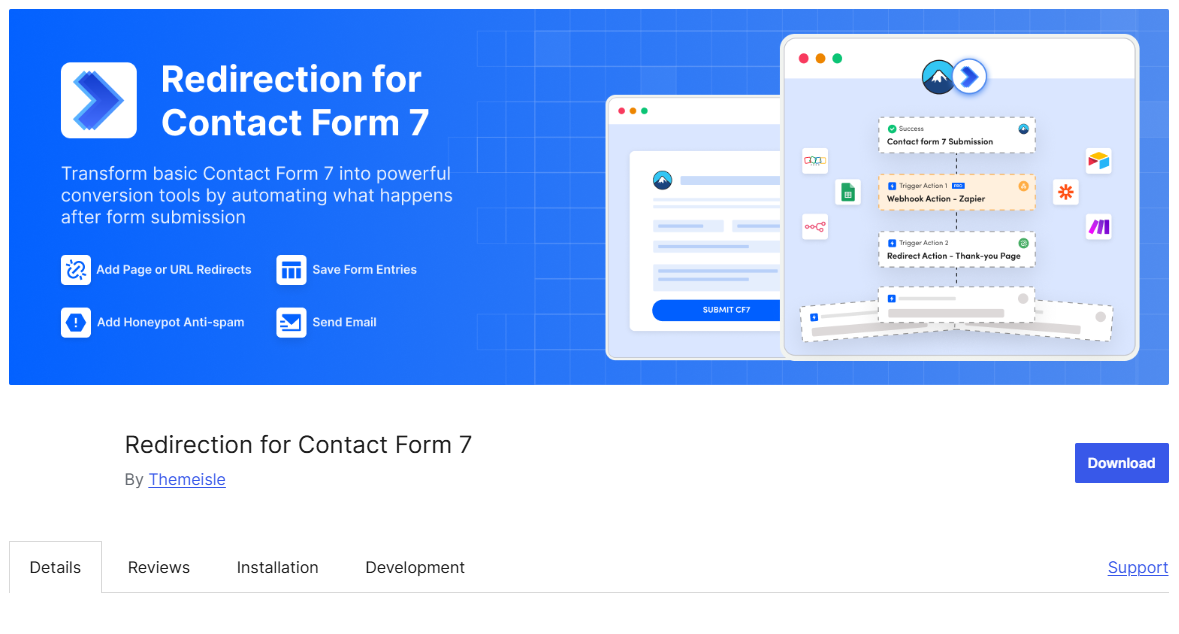
Sending visitors to a dedicated thank-you page is a classic conversion tactic, and this plugin makes it effortless. After a successful submission, users can be redirected to any URL, optionally in a new tab, with form data passed along as URL parameters.
It goes beyond redirects. You can run custom JavaScript after submission, save entries to the database, add honeypot spam protection, and use GDPR tools for data export and erasure requests. That makes it handy for tracking conversions in analytics or ad platforms.
Pros: Simple setup; flexible redirect options; privacy tools included.
Cons: Advanced features need Pro; some settings are not obvious to beginners.
8. Contact Form 7 Database Addon (CFDB7)
Best for: no-fuss entry storage
By default, CF7 emails submissions and keeps no record of them. If an email goes missing, so does the lead. CFDB7 solves this by saving every submission from every form to your WordPress database automatically, with no configuration.
You can view entries in the dashboard and export them to CSV for offline analysis. The plugin is lightweight and developer-friendly, so its impact on site speed is minimal.
Pros: Works instantly after activation; centralized storage; CSV export; light footprint.
Cons: No built-in search or filtering; no CRM integrations; no spam protection; no multi-step support.
9. Honeypot for Contact Form 7
Best for: blocking bots without a CAPTCHA
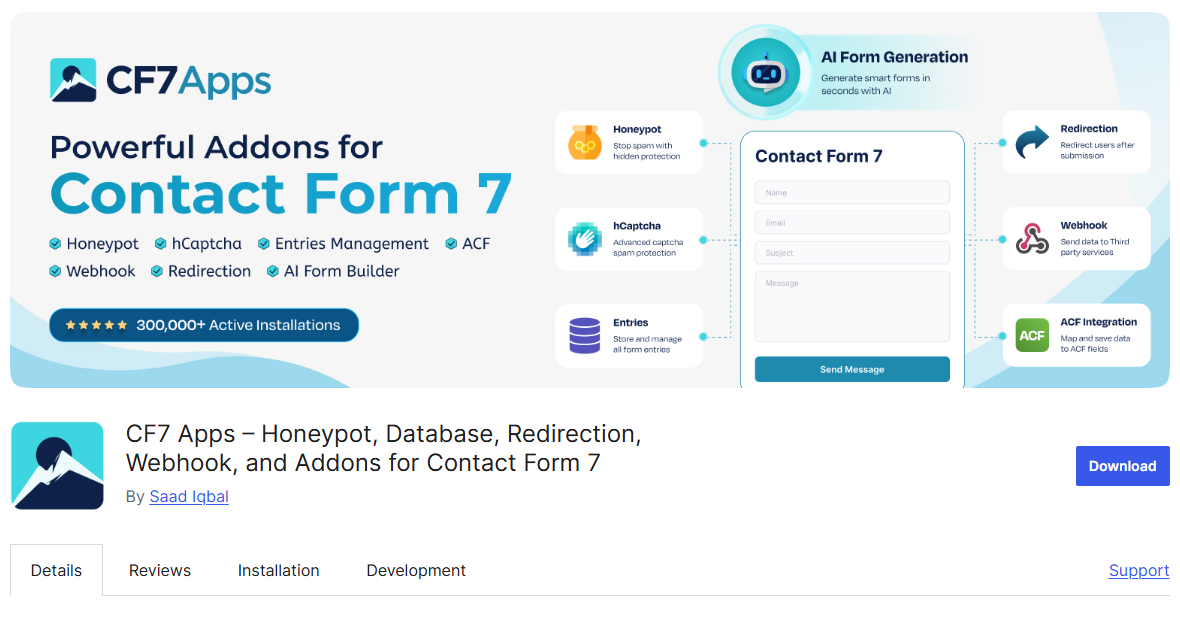
Spam bots tend to fill in every field they find, and a honeypot exploits that habit. Honeypot for Contact Form 7 adds a hidden field that real visitors never see. If it comes back filled in, the submission is rejected, so genuine users never face a puzzle or checkbox.
The plugin also includes hCaptcha as a privacy-friendly alternative to Google reCAPTCHA. Its modules can be switched on independently to keep your site lean, and developers can adjust the output with filters.
Pros: No CAPTCHA friction; modular and lightweight; regularly updated.
Cons: Won’t stop hand-submitted spam; users who prefer reCAPTCHA may need another solution.
10. Country & Phone Field for Contact Form 7
Best for: international forms
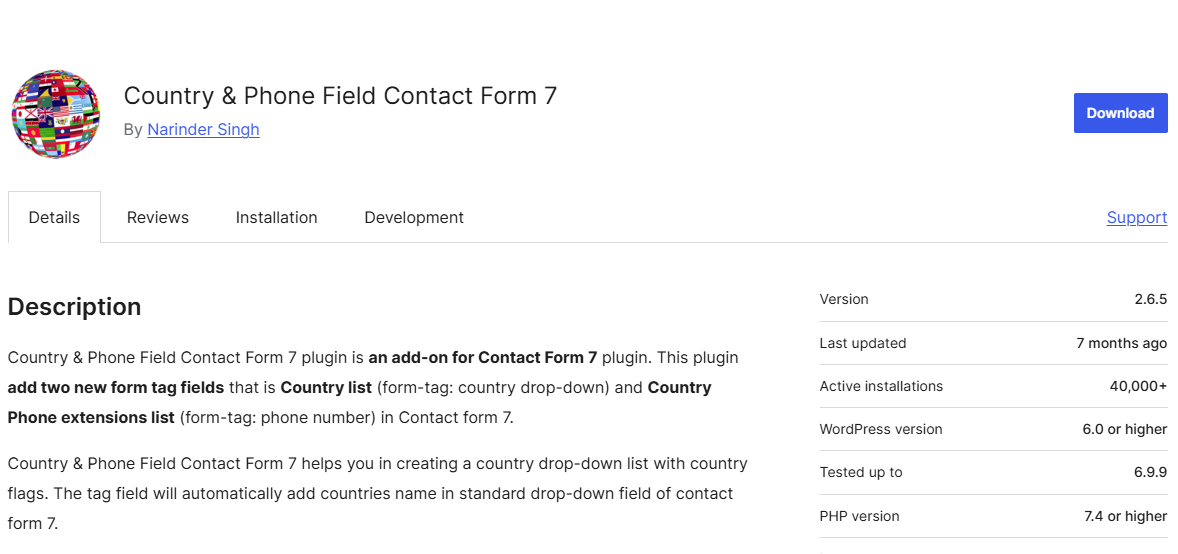
Collecting phone numbers from a global audience often produces messy, inconsistent entries. This plugin helps by adding two new form tags: a country drop-down list and a phone number field with a country-code selector, both displayed with flags.
It is a small plugin with a clear purpose, and it pairs well with booking, support, and sales forms where location and contact details matter.
Pros: Cleaner, more consistent phone data; easy to use; improves the form experience.
Cons: Narrow in scope, so it complements rather than replaces a larger addon.
How to Choose the Right Addon
Match the plugin to the problem you are actually trying to solve.
- Want a visual builder and many features in one place? Start with CompactForm or Ultimate Addons.
- Losing visitors on long forms? Try Multi-Step Forms, or CompactForm’s multistep addon.
- Need entries stored in WordPress? CFDB7 is the simplest route.
- Need leads in a CRM or spreadsheet? Choose HubSpot or Google Sheets Connector.
- Fighting spam? Add Honeypot, and pair it with a CAPTCHA if the problem is severe.
- Building on Divi? CF7 Styler for Divi fits naturally.
- Tracking conversions? Redirection for Contact Form 7 handles thank-you pages.
Avoid stacking plugins that overlap. If an all-in-one addon already covers layout, styling, and conditional logic, adding separate plugins for each can slow your site and cause conflicts.
Before You Install: A Quick Checklist
- Confirm compatibility with your current WordPress and CF7 versions.
- Check when the plugin was last updated and how quickly the developer answers support requests.
- Read recent reviews, especially those mentioning theme or plugin conflicts.
- Test on a staging site before going live.
- Review the Pro feature list so you know what the free version includes.
- Keep every plugin updated, since form plugins handle visitor data and are a common attack target.
Conclusion
Contact Form 7 remains a dependable foundation, and the right addons can make it competitive with many premium form builders. Whether your priority is visual building, stronger spam protection, organized data, or smoother integrations, there is a plugin on this list that fits.
Start small. Pick one or two addons that solve your biggest problem, test them properly, and add more only when you have a clear reason. A lean, well-maintained setup will always outperform a crowded one.
FAQs
Are Contact Form 7 addons free?
Most offer a free version on WordPress.org, while advanced features such as payments, integrations, or extra storage options usually require a Pro plan.
Do I need to code to use these addons?
No. Most of the plugins here are designed for no-code use, with visual settings for fields, layout, and styling.
Will addons break my existing forms?
Generally not, but results vary. CompactForm, for example, only applies its builder to forms you explicitly choose to edit. Always test on staging first.
Will addons slow down my website?
Well-built ones have minimal impact, but stacking overlapping plugins can hurt performance. Choose tools that let you disable unused features.
Can I use multiple addons together?
Yes, but avoid duplicating features and test for conflicts after each installation.
How do I stop spam in Contact Form 7?
Use a honeypot, a CAPTCHA such as reCAPTCHA or hCaptcha, or a combination. Some builders also add minimum fill times and keyword blocking.