












Create logistics website
For transportation and logistics companies, having a strong online presence is essential in today’s digital world. These businesses can quickly and easily create professional, useful websites with the help of a Transportation & Logistics WordPress theme. These themes are made especially for create logistics website, logistics providers, courier services, freight forwarders, transportation companies, and other businesses of a similar nature websites.
These themes offer industry-specific designs tailored to meet the unique needs of transportation and logistics companies and create logistics website. They provide a professional appearance, ensuring your website looks polished and credible, which can help build trust with potential customers. Many of these themes include user-friendly features like drag-and-drop builders, customizable templates, and responsive designs that ensure your website looks great on all devices.
Built-in SEO features help improve your website’s visibility on search engines, driving more traffic to your site. They also come with functionalities like booking systems, contact forms, and Google Maps integration, making it easier for customers to interact with your business. Additionally, WooCommerce integration allows you to set up an online store and manage sales efficiently if you sell products or services online.
WordPress themes are generally more affordable than custom website designs, saving you time and money. Plus, with the support and regular updates that come with premium themes, you can ensure your website remains secure and up-to-date. With a vast community and plenty of resources available, optimizing your site becomes much easier.
In essence, a Transportation & Logistics WordPress Theme provides a professional, cost-effective, and easy-to-use solution for businesses looking to establish a strong online presence. It’s designed to cater specifically to the needs of your industry, making it a smart choice for your website. You can find out in this blog, How to create a logistics website.
Audience
Before designing your website and create logistics website, identify your target audience and their needs. Are you targeting freight companies, small businesses, or individual customers? Understanding your audience helps you tailor your content, features, and overall user experience.
Install and Set Up Logitic
The Logitic theme is a powerful WordPress solution designed specifically for transportation and logistics businesses and create logistics website. Follow these steps to get started:
- Purchase and Download: Acquire the Logitic theme from a Envato.
- Install the Theme: Go to your WordPress dashboard, navigate to Appearance > Themes, and upload the Logitic theme.
- Activate the Theme: Once installed, activate it to apply the design and functionality.
- Install Required Plugins: Logitic may recommend plugins for enhanced functionality. Install and activate them as needed.

Plan the Website Structure
Organize your website into sections that are intuitive for visitors. Key pages to include:
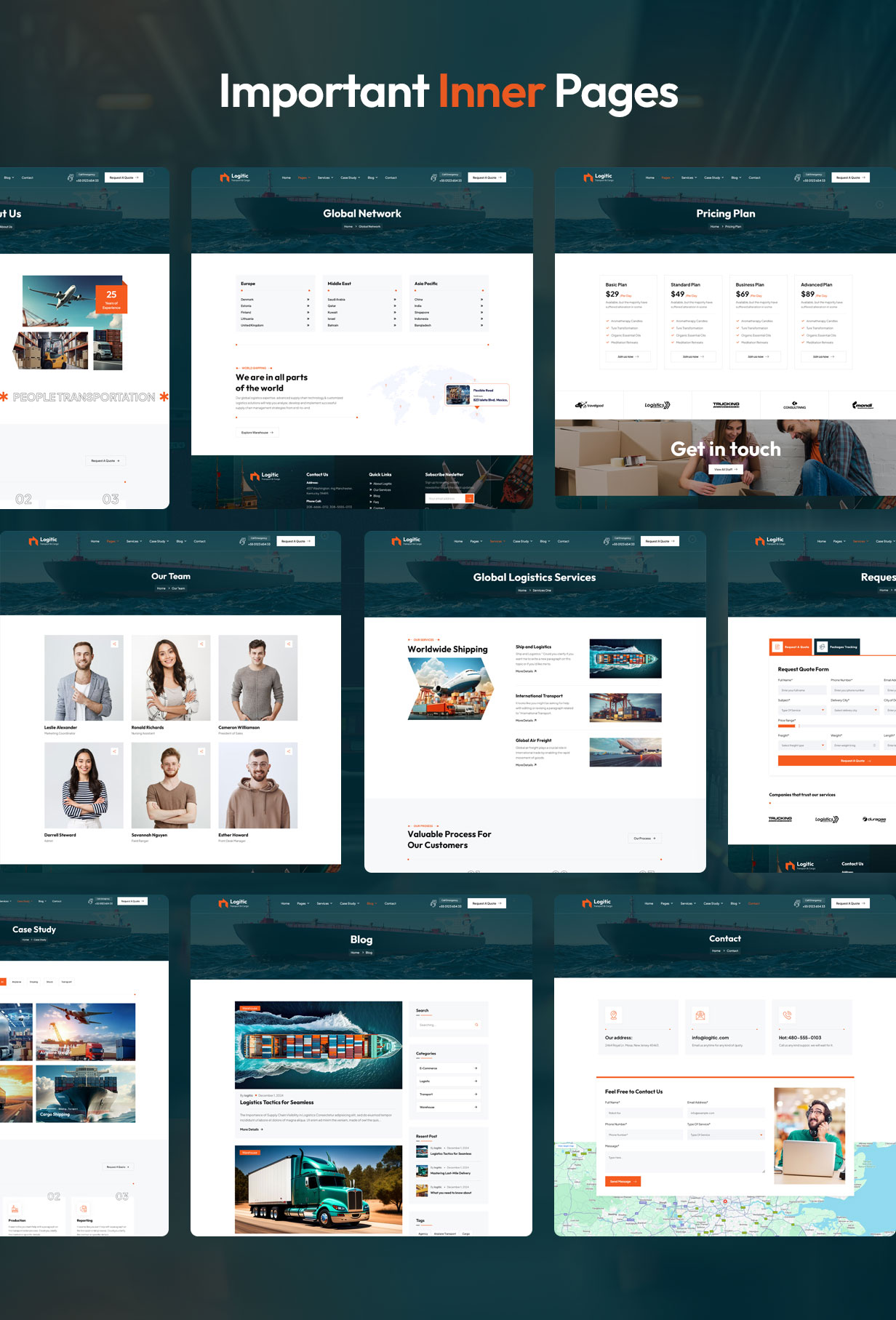
- Homepage: Use Logitic’s pre-designed homepage layouts to create a professional introduction.
- Services: Detail your transportation, logistics, or delivery services using the theme’s custom layouts.
- About Us: Share your company’s mission, vision, and history with built-in design options.
- Contact: Use Logitic’s customizable contact forms and maps to make it easy for customers to reach you.
- Quote Request: Allow customers to request a quote for services with ready-made forms.
- Tracking System: Showcase shipment tracking features using plugins or widgets supported by the theme.
Customize the Design
Logitic offers extensive customization options to match your branding:
- Theme Options Panel: Use the intuitive options panel to modify colors, fonts, and layouts.
- Pre-Made Templates: Choose from a variety of professionally designed templates for pages and sections.
- Custom Widgets: Enhance your site with widgets like contact forms, service highlights, or client testimonials.
- Responsive Design: Logitic is fully responsive, ensuring your site looks great on all devices.

Incorporate Essential Features
Logitic is equipped with features tailored for logistics businesses and create logistics website. Utilize these to enhance functionality:
- Service Calculators: Offer tools for calculating shipping costs directly on your site.
- Multilingual Support: Serve international clients with multilingual options available in the theme.
- Online Payments: Integrate secure payment gateways compatible with WordPress.
- Live Chat Support: Add live chat functionality for real-time customer assistance.
Optimize for SEO
Make your website discoverable by optimizing it for search engines. With Logitic, you can:
- Use SEO Plugins: The theme supports popular plugins like Yoast SEO for on-page optimization.
- Optimize Images: Compress images using built-in tools or plugins to ensure fast load times.
- Add Meta Descriptions: Write compelling meta descriptions for all pages.
- Focus on Keywords: Target terms like “transportation services” and “logistics solutions.”
Add Testimonials and Case Studies
Build trust by showcasing testimonials from satisfied clients or case studies highlighting successful deliveries. Logitic’s testimonial widgets make it easy to display this content.
Secure Your Website
Protect sensitive customer data by implementing security measures:
- SSL Certificate: Encrypt data to ensure secure connections.
- Regular Backups: Protect against data loss by scheduling backups.
- Firewall and Anti-Malware: Prevent cyberattacks with robust security software.
Test and Launch
Before launching, thoroughly test your website:
- Check Functionality: Ensure all forms, payment systems, and tracking features work properly.
- Test Responsiveness: Confirm your site works across different devices and browsers.
- Fix Errors: Address broken links, typos, or bugs.
Once testing is complete after create logistics website, publish your website and promote it through marketing campaigns.
Monitor and Update
Maintain your website’s performance by:
- Tracking Analytics: Use tools like Google Analytics to monitor traffic and user behavior.
- Updating Content: Regularly refresh your content to keep it relevant.
- Adding Features: Incorporate new features based on customer feedback and technological advancements.
Conclusion
Creating a transportation and logistics website with the Logitic WordPress theme streamlines the design and development process. With its tailored features and customization options, Logitic makes it easy to build a professional and functional site that attracts customers and enhances your business’s reputation. Start today and drive your logistics operations into the digital age!