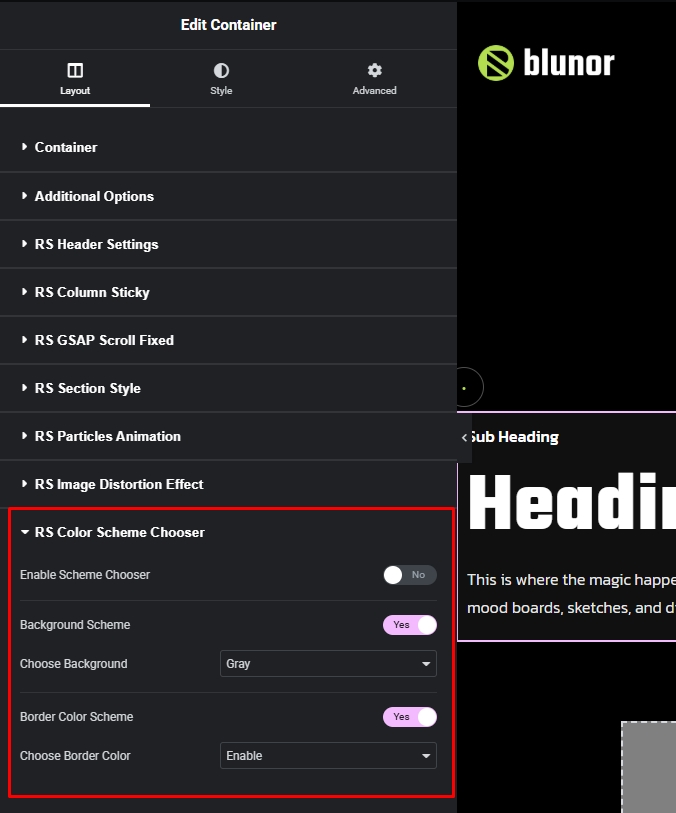
For handling colors from theme customizer to elementor we have a global control which you will found in every section & addon like the screen shoot.
1. Enable Scheme Chooser: If you enable this switch you can set the scheme fixed light or dark so if any section or addon not changing its colors based on scheme you should check this control.
2. Background Scheme: In this control you will found all colors as background which will change by scheme automatically – also here is a option for chose background custom, if you choose custom you will found 2 individual background option for dark version & light version, you can use image as well.
3. Border Color Scheme: If you enable this control then selected section or addon will get border color from customizer border color which will change automatically based on theme scheme, so enable this control and give the border value in elementor control as usual way just don’t give the color value in elementor & you will get the border color from customizer.