How to Use AI Content Generation
You can generate blog titles, content, and images directly while creating a post using the built-in AI generator.
Step-by-Step Guide
- Go to Posts → Add New
Create a new post or edit an existing one. - Click “Generate with AI”
Click the Generate with AI button located in the top-left corner of the editor.

- AI Popup Opens
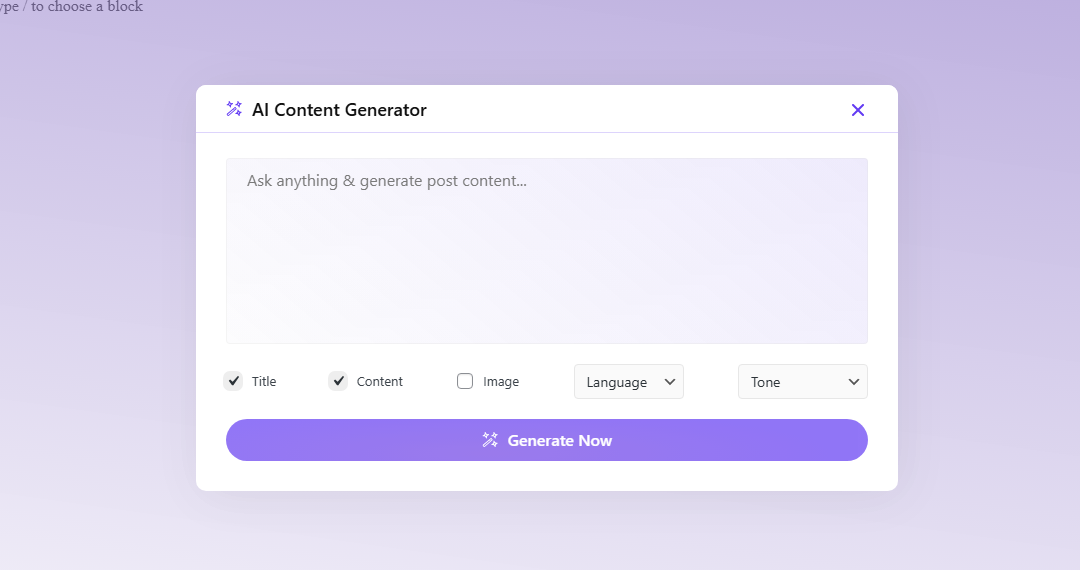
A popup window will appear where you can configure your AI generation options. - Describe What You Want to Generate
In the prompt field, write what you want to generate (for example: a blog post about a specific topic). - Select What to Generate
Choose one or more options: Title, Content, Image
You can select multiple options at the same time. - Select Language and Tone
Choose your preferred language and writing tone (for example: professional, friendly, or casual). - Click Generate
Click the Generate button to start the AI generation process.
After Generation
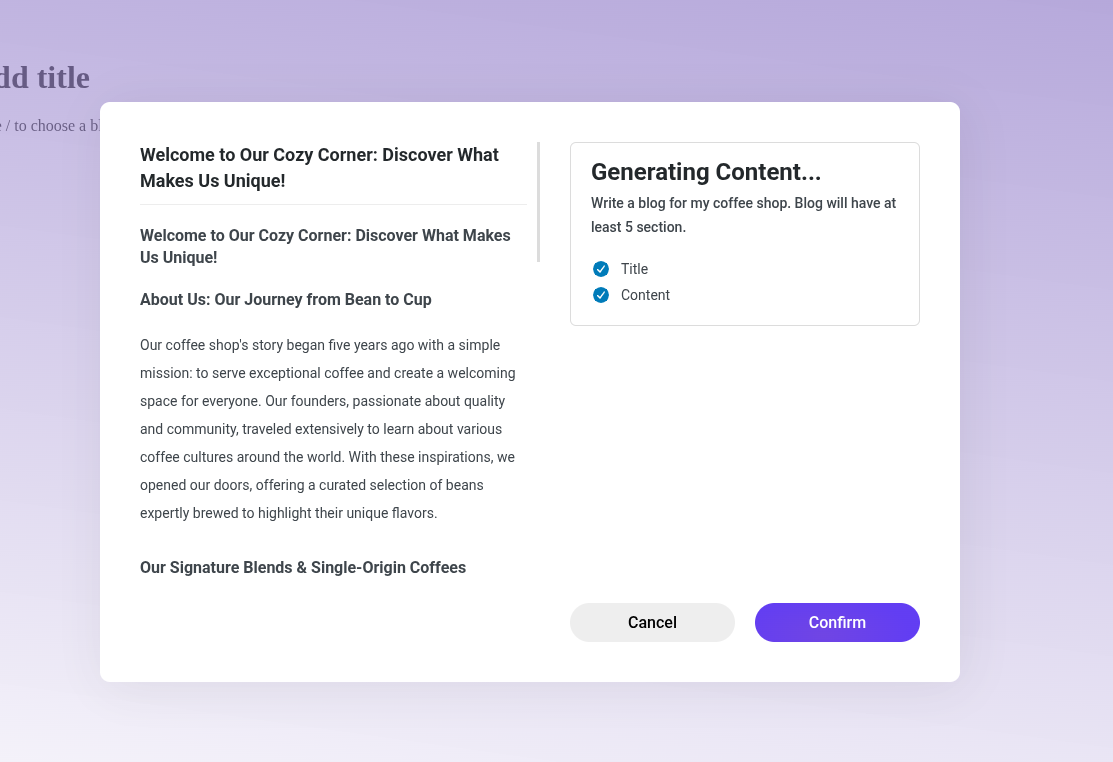
After the generation process is complete, the AI-generated title, content, and images will be shown in a preview popup.
Once you review and confirm the results, they will be automatically applied to your post.
Tips
- Be specific in your prompt for better results.
- You can generate only text, only images, or both.
- Make sure AI features are enabled and the API key is configured.